How to Deactivate a TikTok Account
Deactivate TikTok on Desktop
Step 1
To deactivate Tiktok on desktop, go to [https://www.tiktok.com/en](https://www.tiktok.com/en)
Step 2
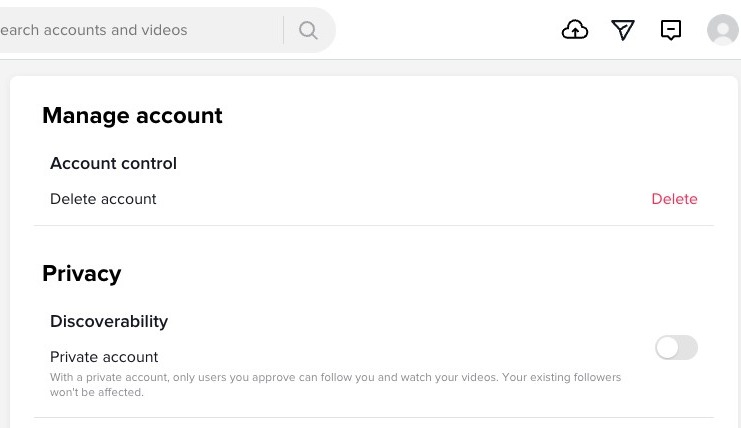
Click your profile icon on the top right corner of the screen and select Settings

Step 3
Under Manage account, select delete
Step 4
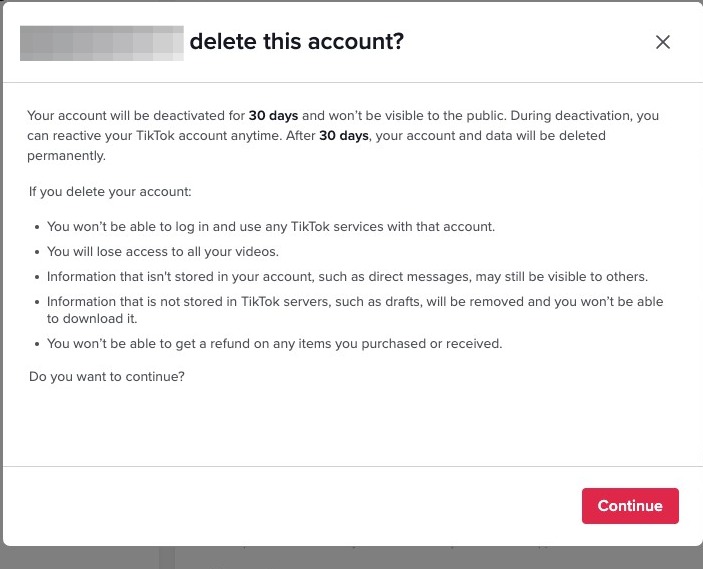
Click "Continue"
Step 5
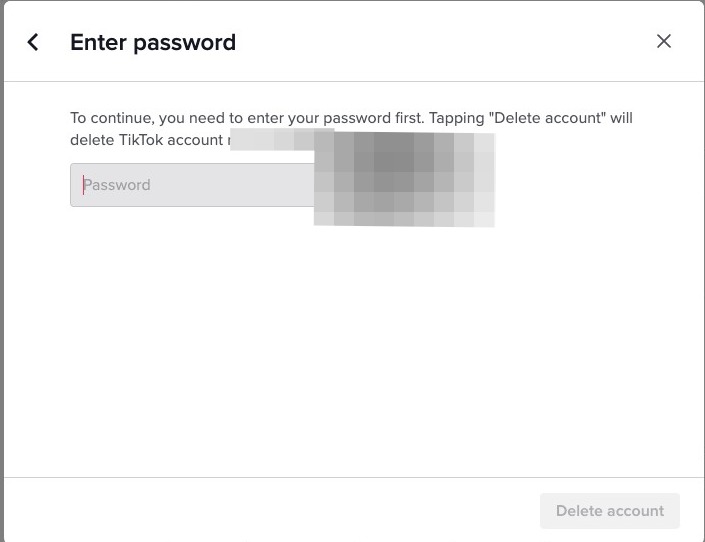
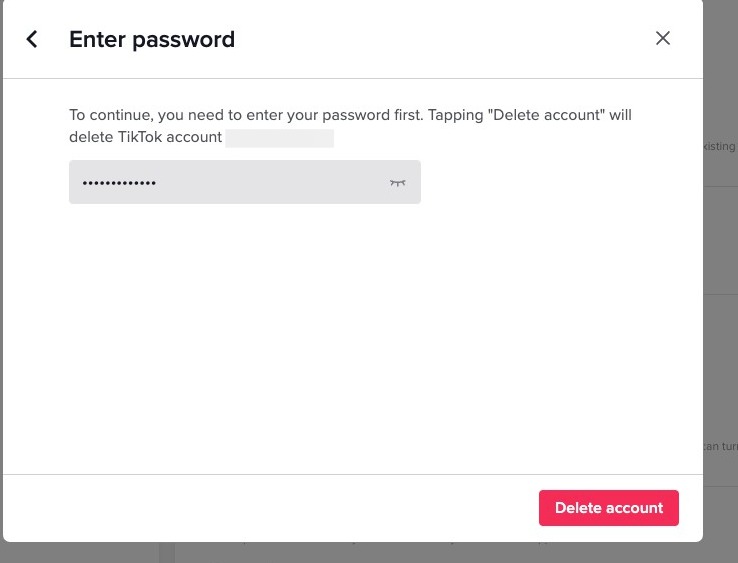
Enter your password
Step 6
Click Delete account
Deactivate TikTok on Mobile
Step 7
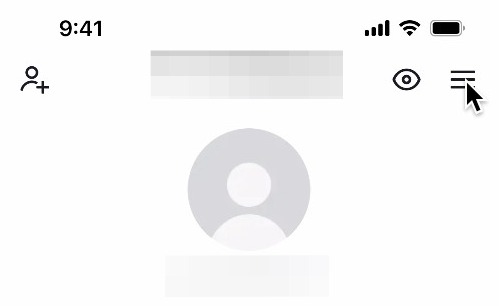
To deactivate TikTok on mobile, click on your profile on the bottom right hand corner of the screen

Step 8
Click here
Step 9
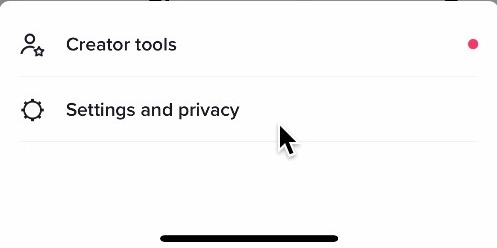
Click on Settings and privacy
Step 10
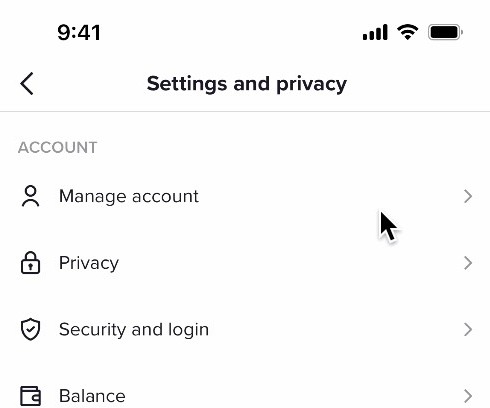
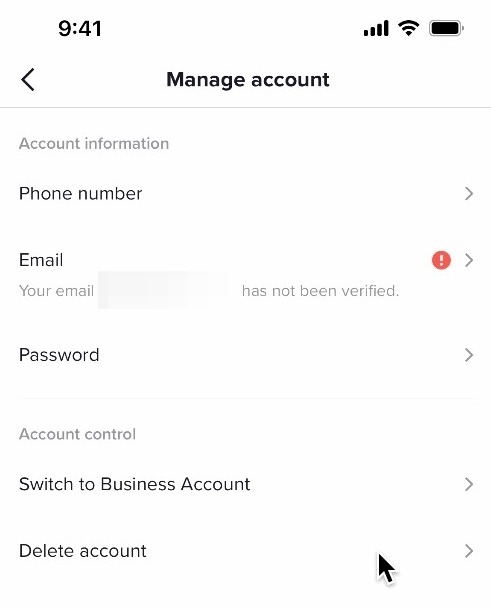
Click on Manage account
Step 11
Click on Delete account
Step 12
Select a reason for leaving TikTok

Step 13
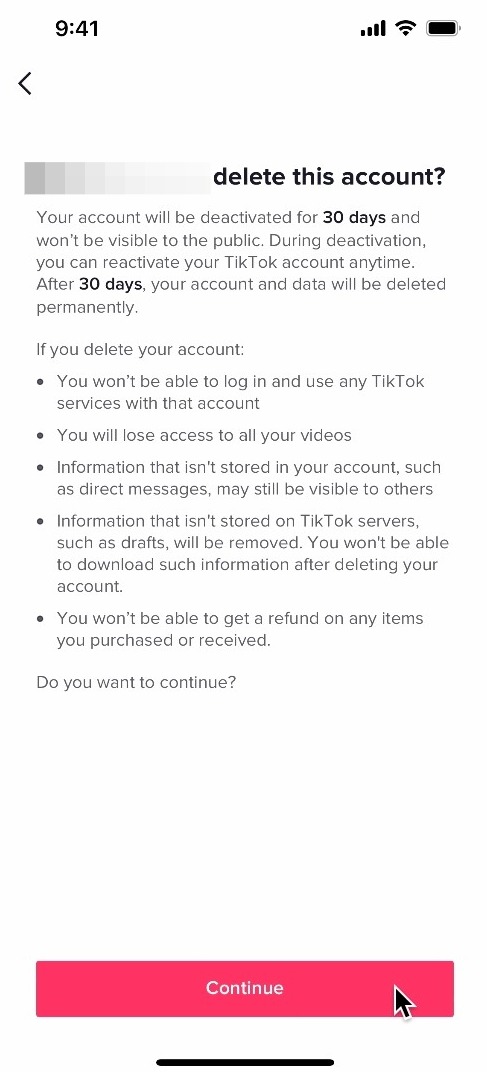
Click on Continue

Step 14
Here, you can decide whether to download your TikTok data. After you make the decision, click on continue

Step 15
On this page, you'll be warned that your account can be reactivated 30 days after you deactivate your account. Click on continue
Step 16
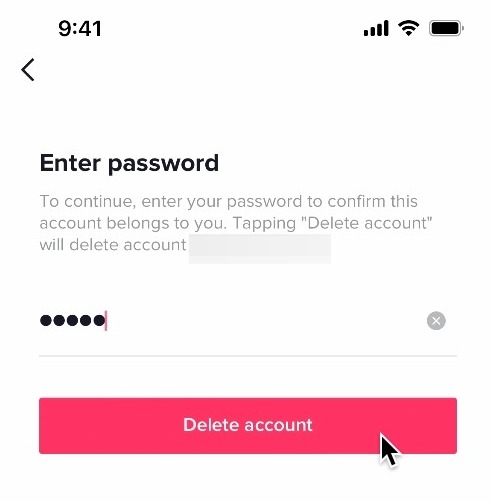
Re-enter your password and click on Delete account to complete the process