How to Delete a YouTube Channel
Edited
Delete YouTube Channel via Desktop
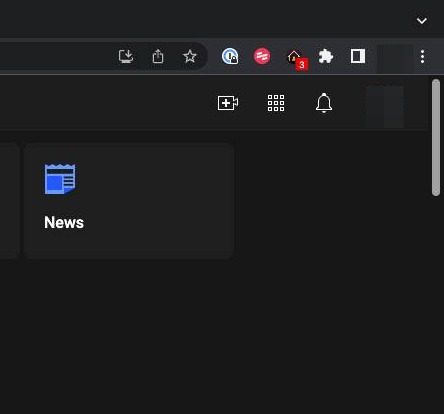
Step 1
Click on your profile icon on the top right hand corner of the screen
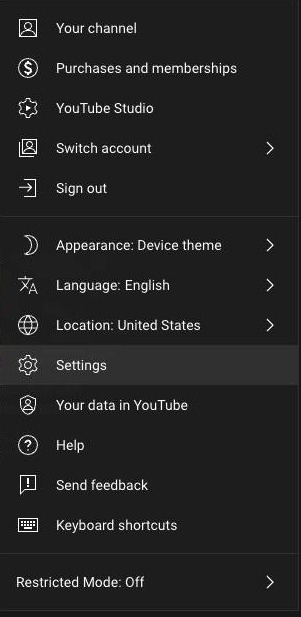
Step 2
Click on Settings
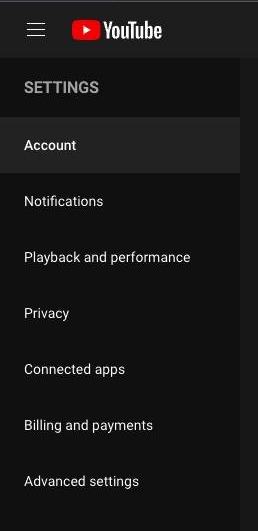
Step 3
Click on Advanced Settings
Step 4
Click on Delete Channel
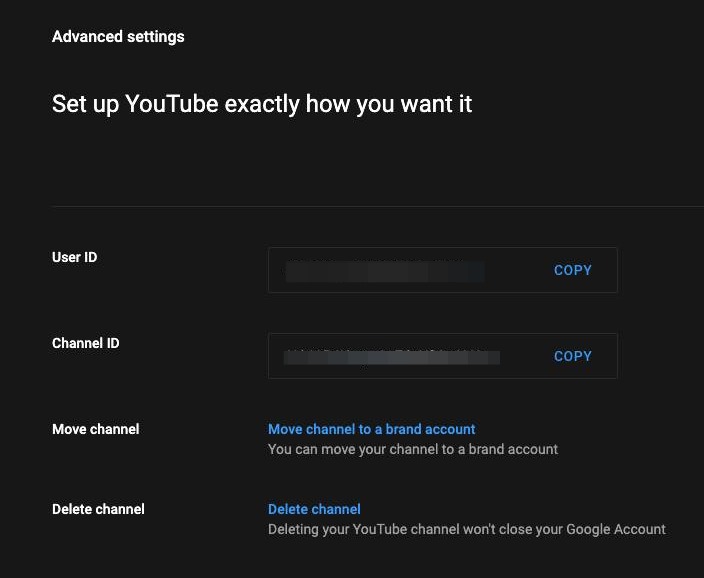
Step 5
Enter your Google password
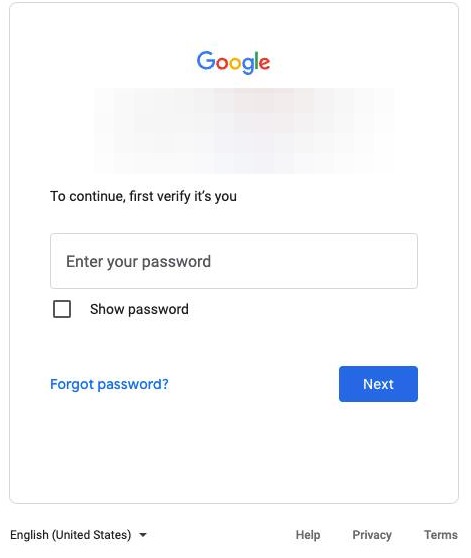
Step 6
Click here
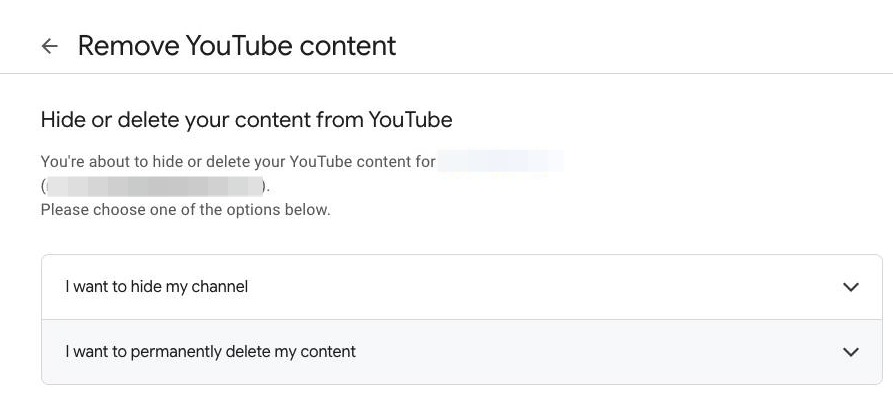
Step 7
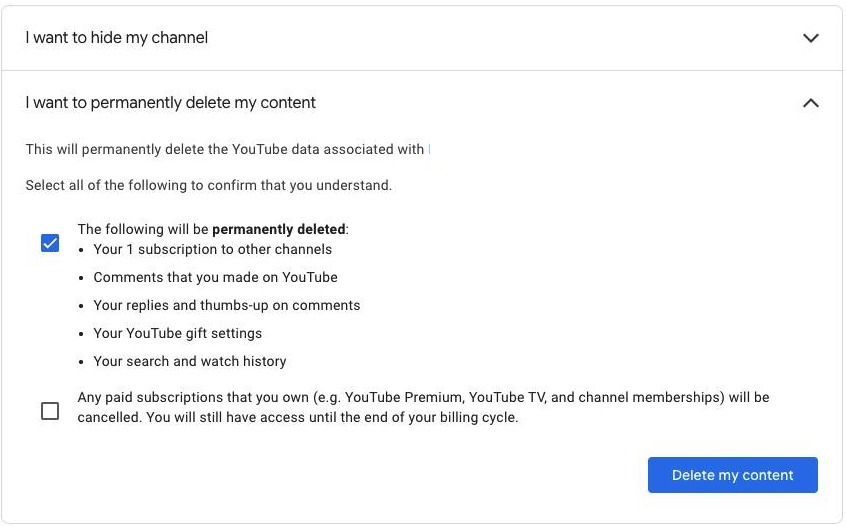
Then click this box
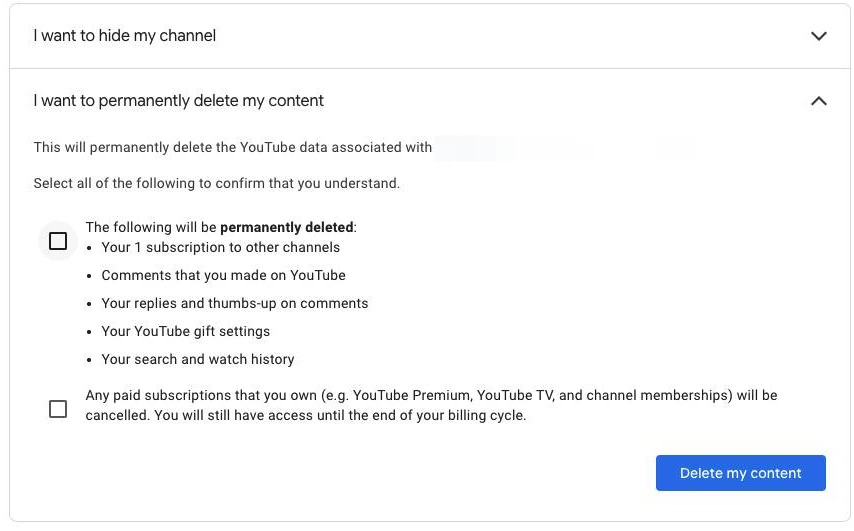
Step 8
Click Delete my content to complete the process