How to Deactivate Your Facebook Account
Deactivate Facebook on Desktop
Step 1
To deactivate your Facebook account on desktop, navigate to [https://www.facebook.com/](https://www.facebook.com/)
Step 2
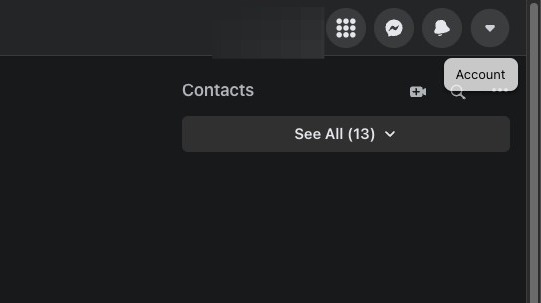
Click on the Account button on the top right corner of your screen.
Step 3
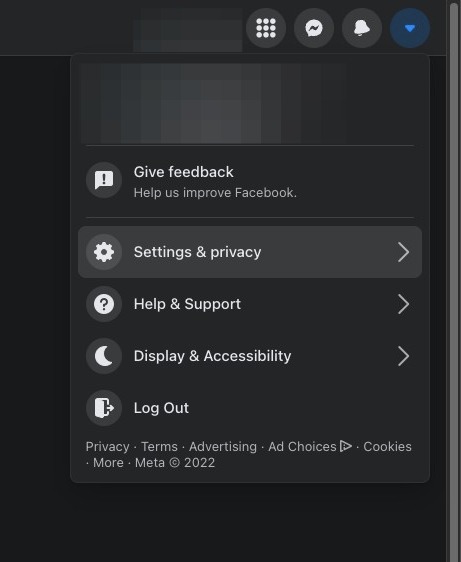
Click on Settings & Privacy
Step 4
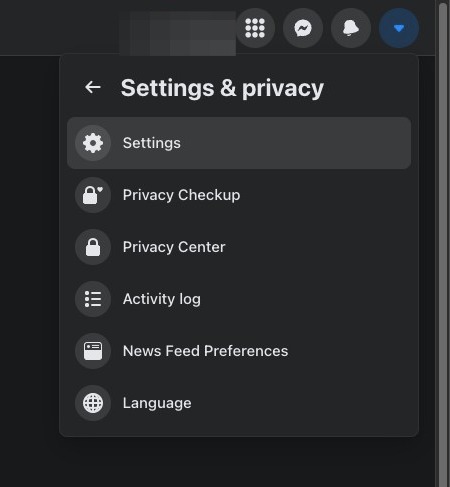
Click Settings
Step 5
Click Your Facebook Information on the left hand side of the screen
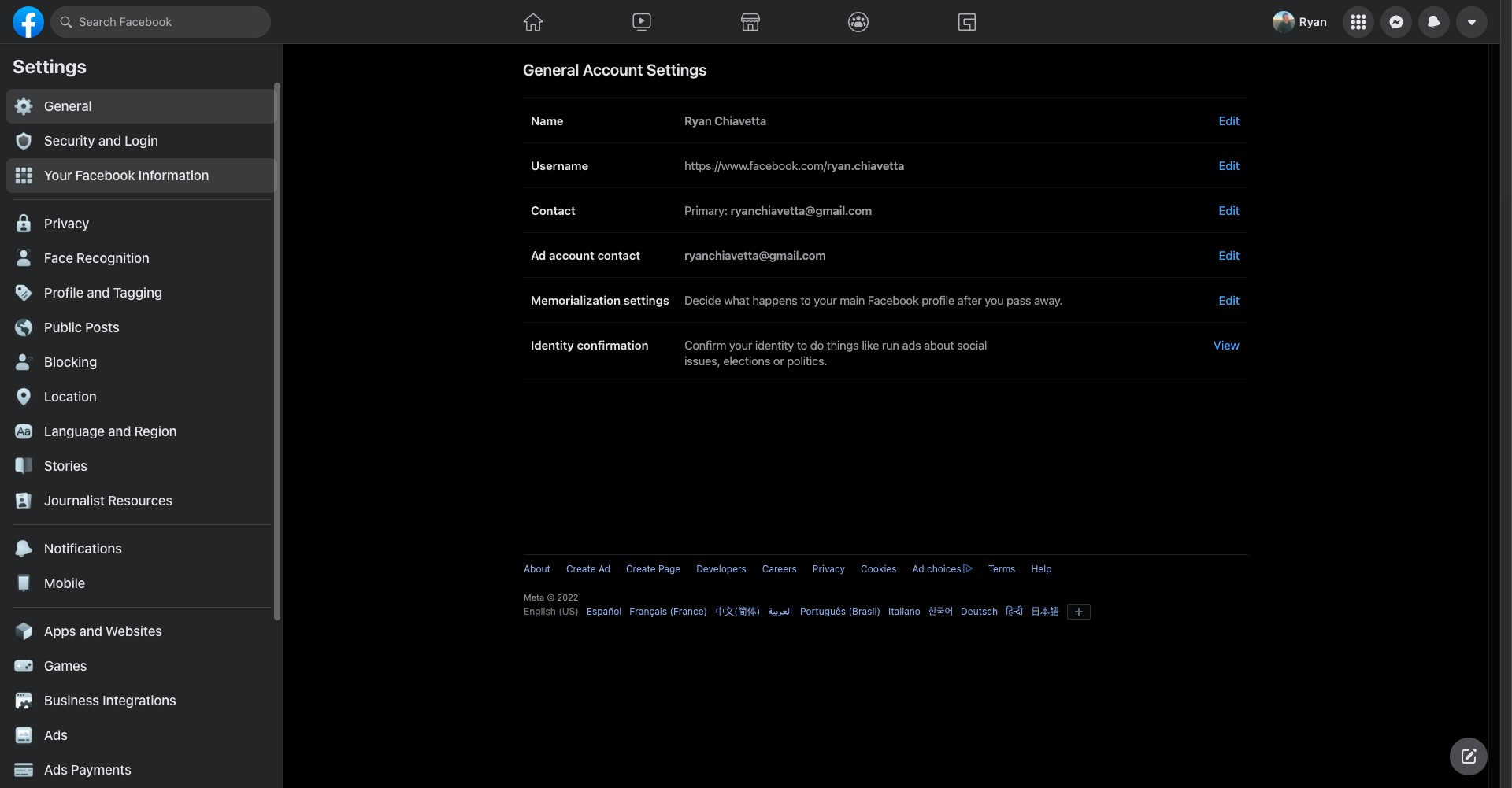
Step 6
Click View next to Deactivation and Deletion.
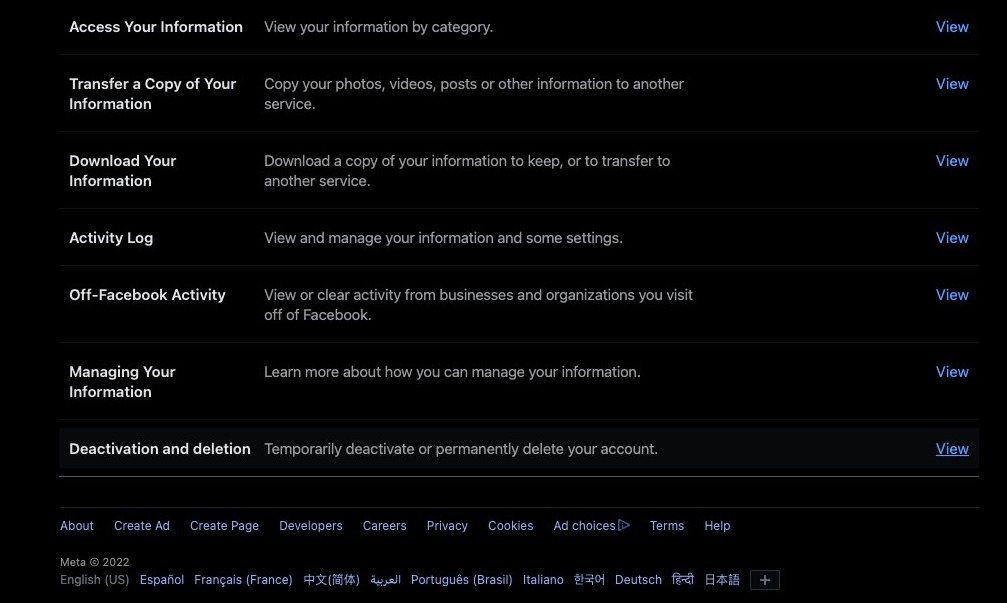
Step 7
Click Continue to account deactivation
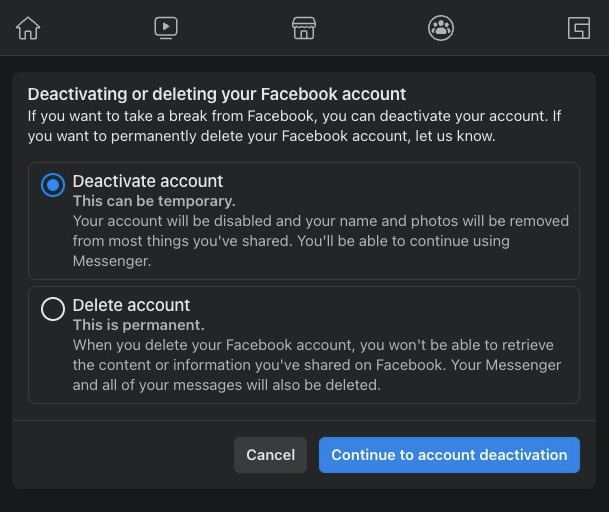
Step 8
Select a reason for deactivating your account.
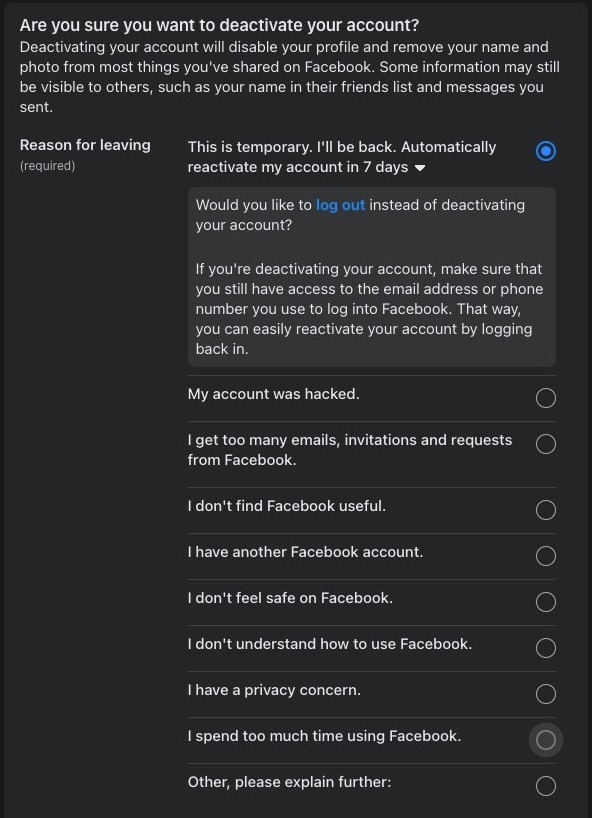
Step 9
Click Deactivate
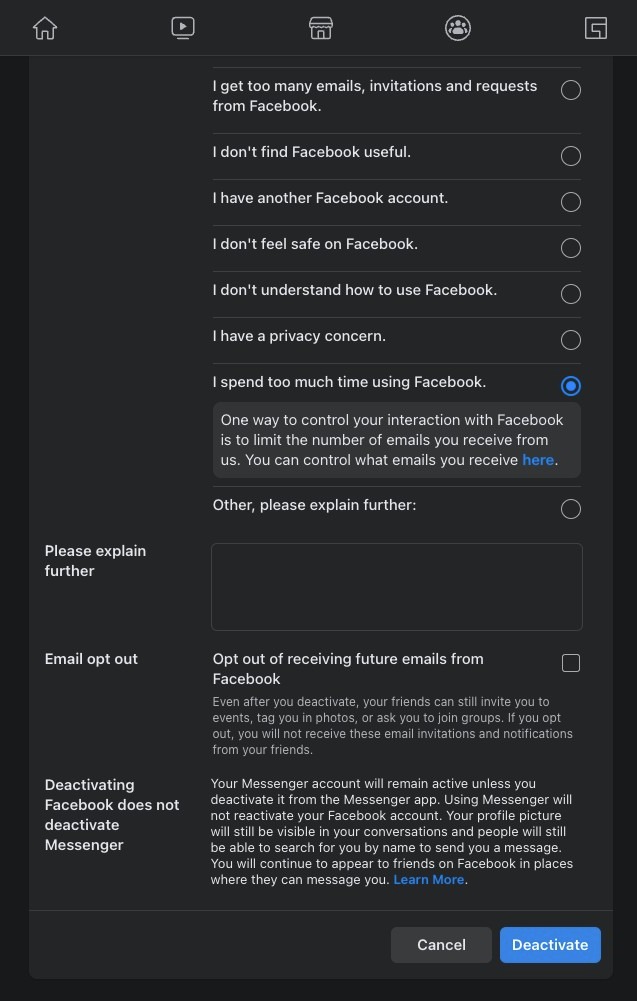
Step 10
Click "Deactivate now"
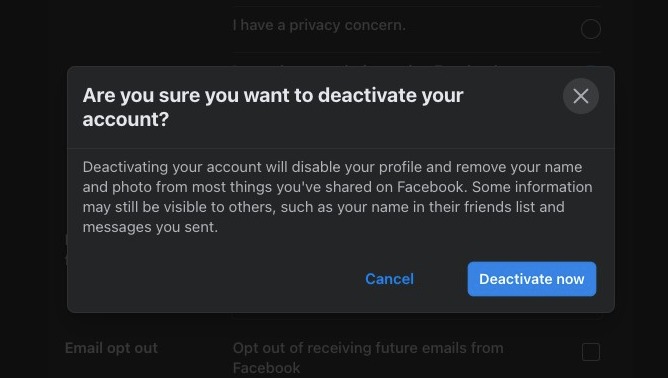
Deactivate Facebook on Mobile
Step 11
To deactivate Facebook on mobile, click on this icon on the bottom right corner of the screen
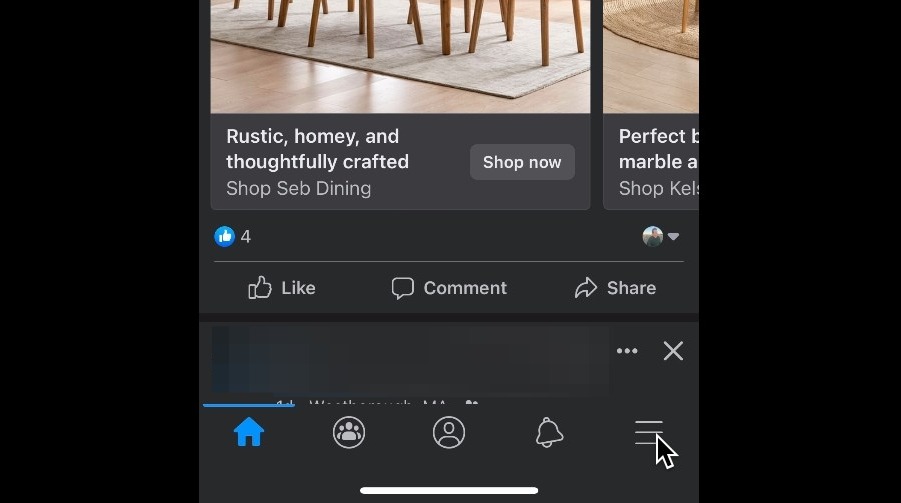
Step 12
Click on the Settings icon
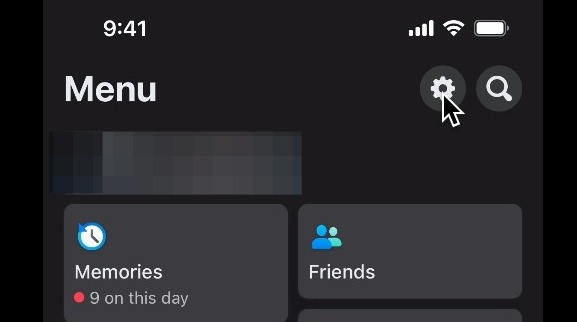
Step 13
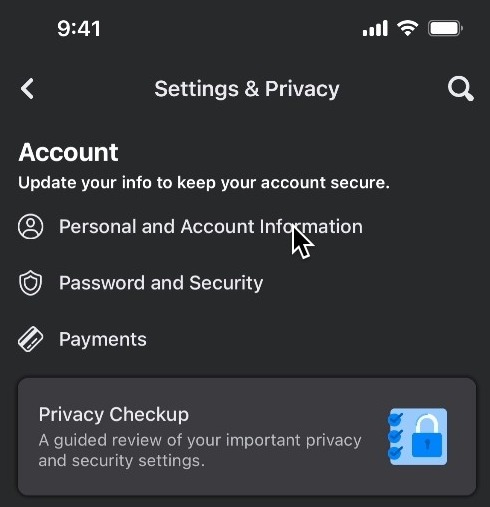
Click on Personal and Account Information
Step 14
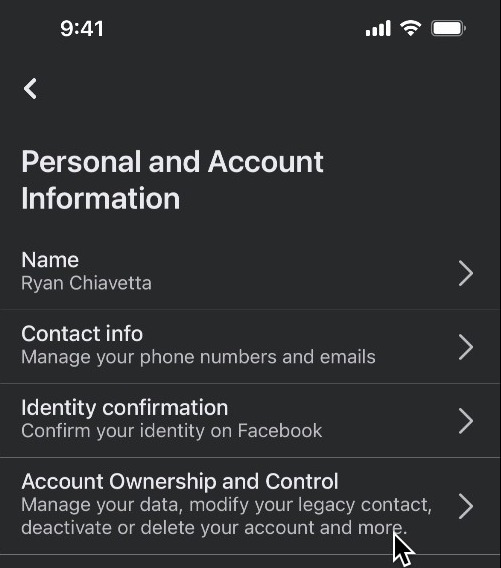
Click on Account Ownership and Control
Step 15
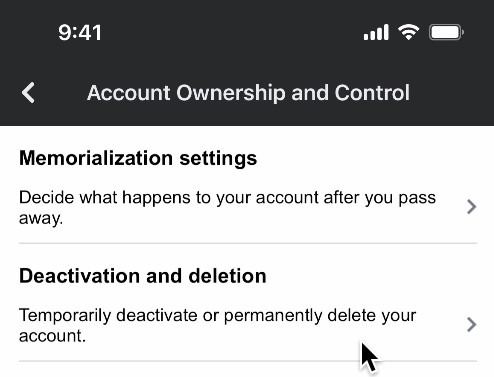
Click on Deactivation and Deletion
Step 16
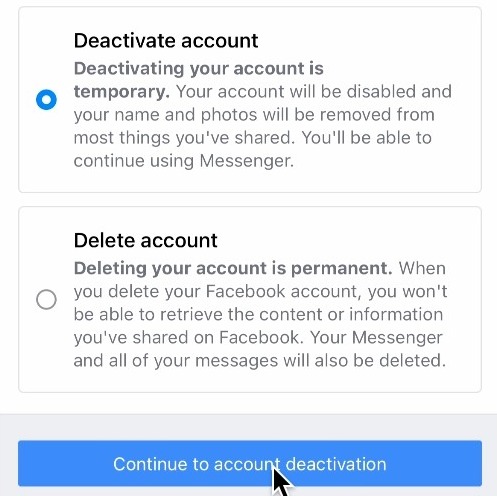
With deactivate account selected, click on Continue to account deactivation
Step 17
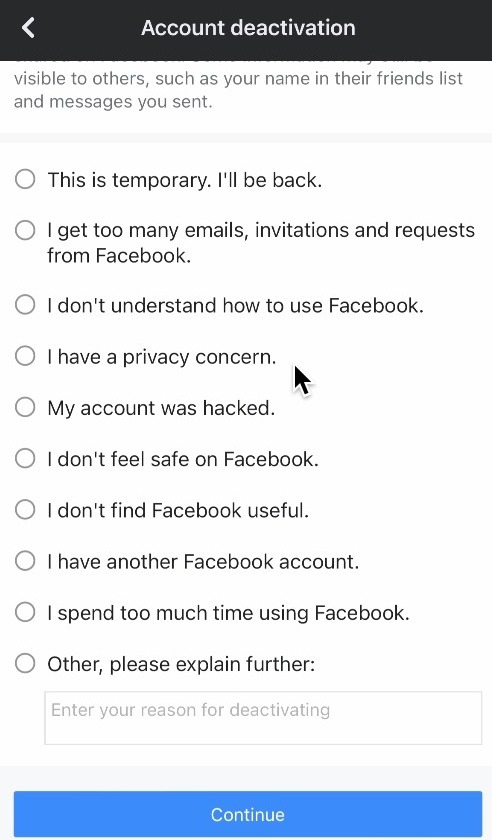
Select a reason for deactivating your account and click continue
Step 18
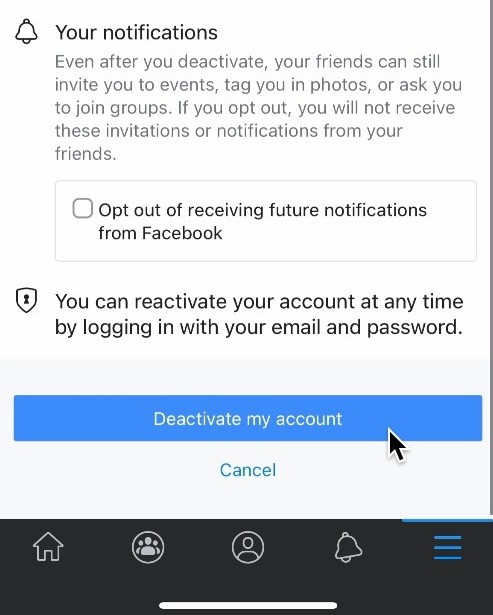
Click Deactivate my account to complete the process