How to Deactivate Your Twitter/X Account
Edited
Deactivate Twitter on Desktop
Step 1
To deactivate Twitter on desktop, navigate to [https://twitter.com/home](https://twitter.com/home)
Step 2
Click "More" on the left hand side of the screen

Step 3
Click on Settings and Privacy
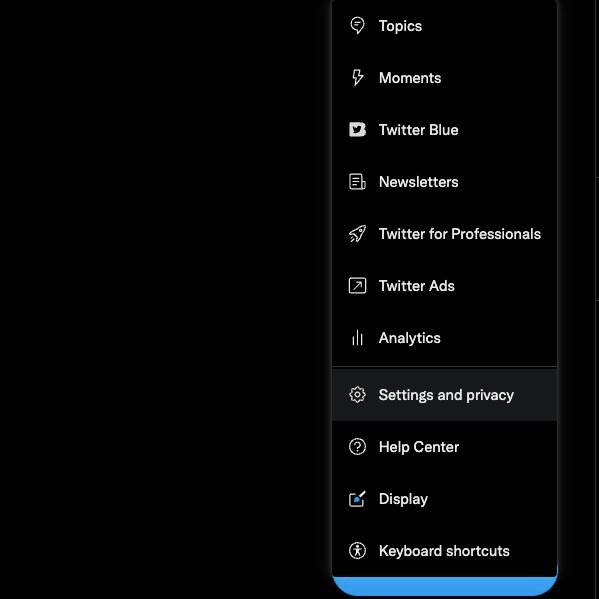
Step 4
Click "Deactivate your account"
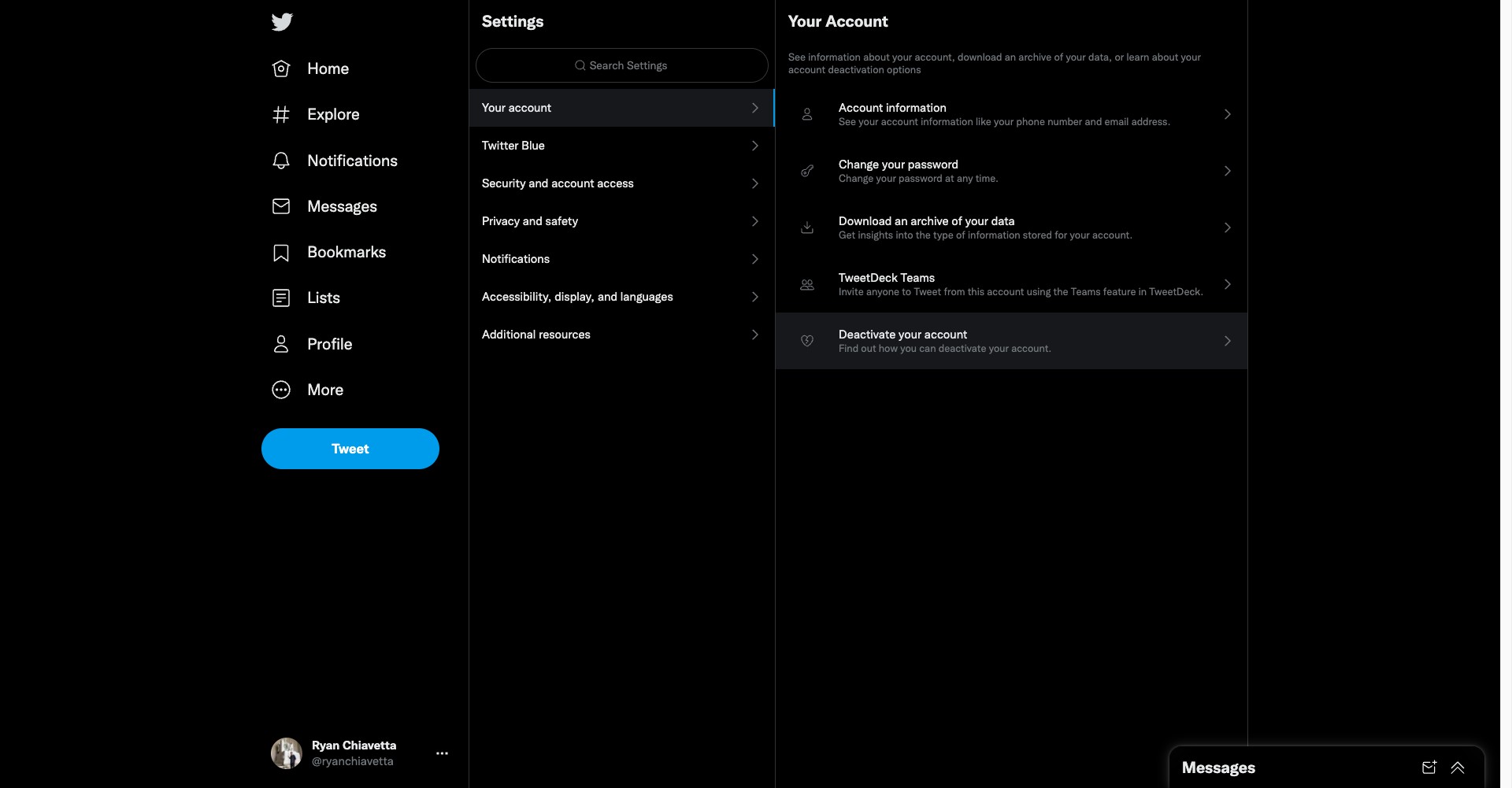
Step 5
Click on Deactivate
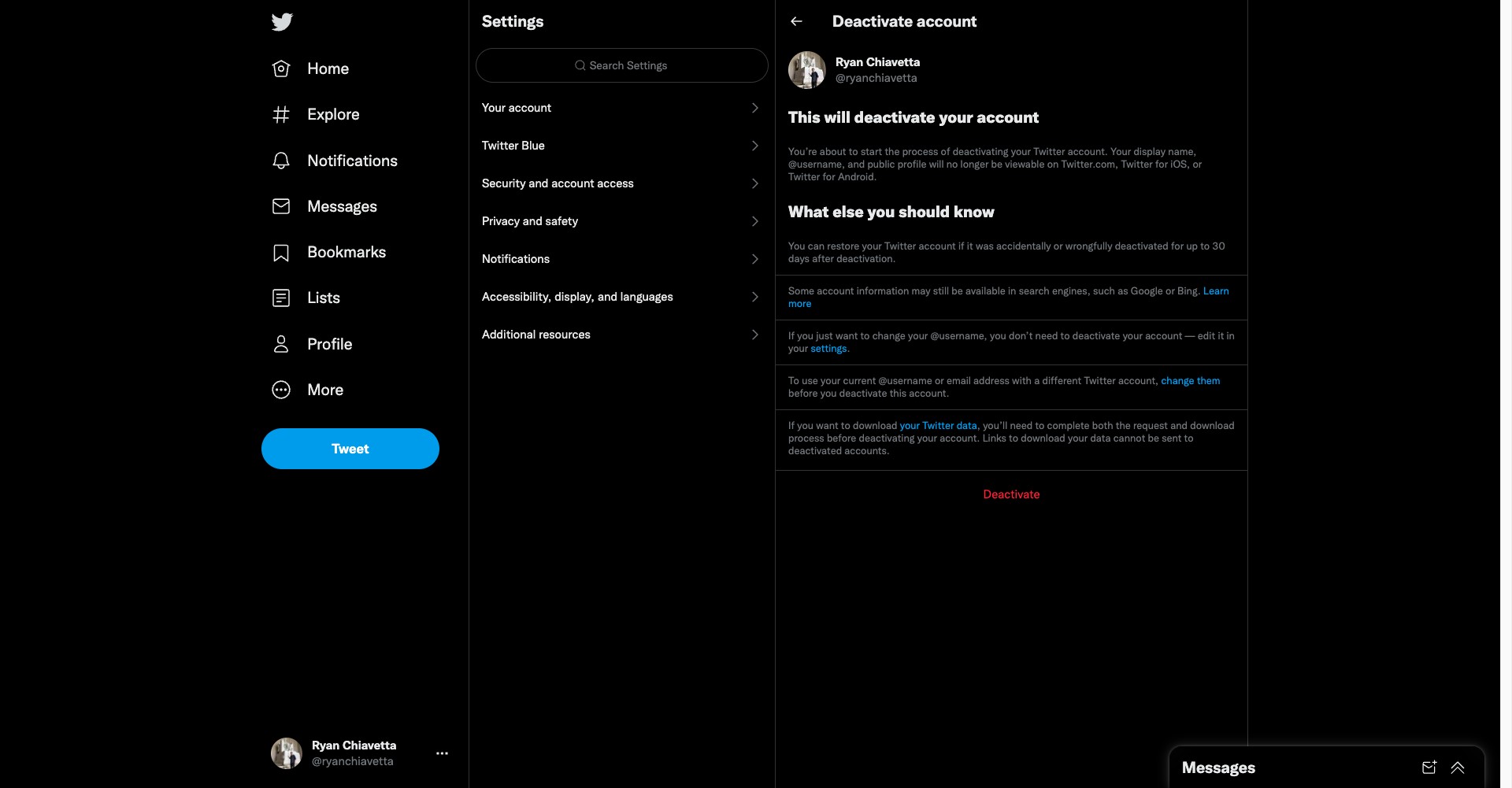
Step 6
Re-enter your password and then hit deactivate
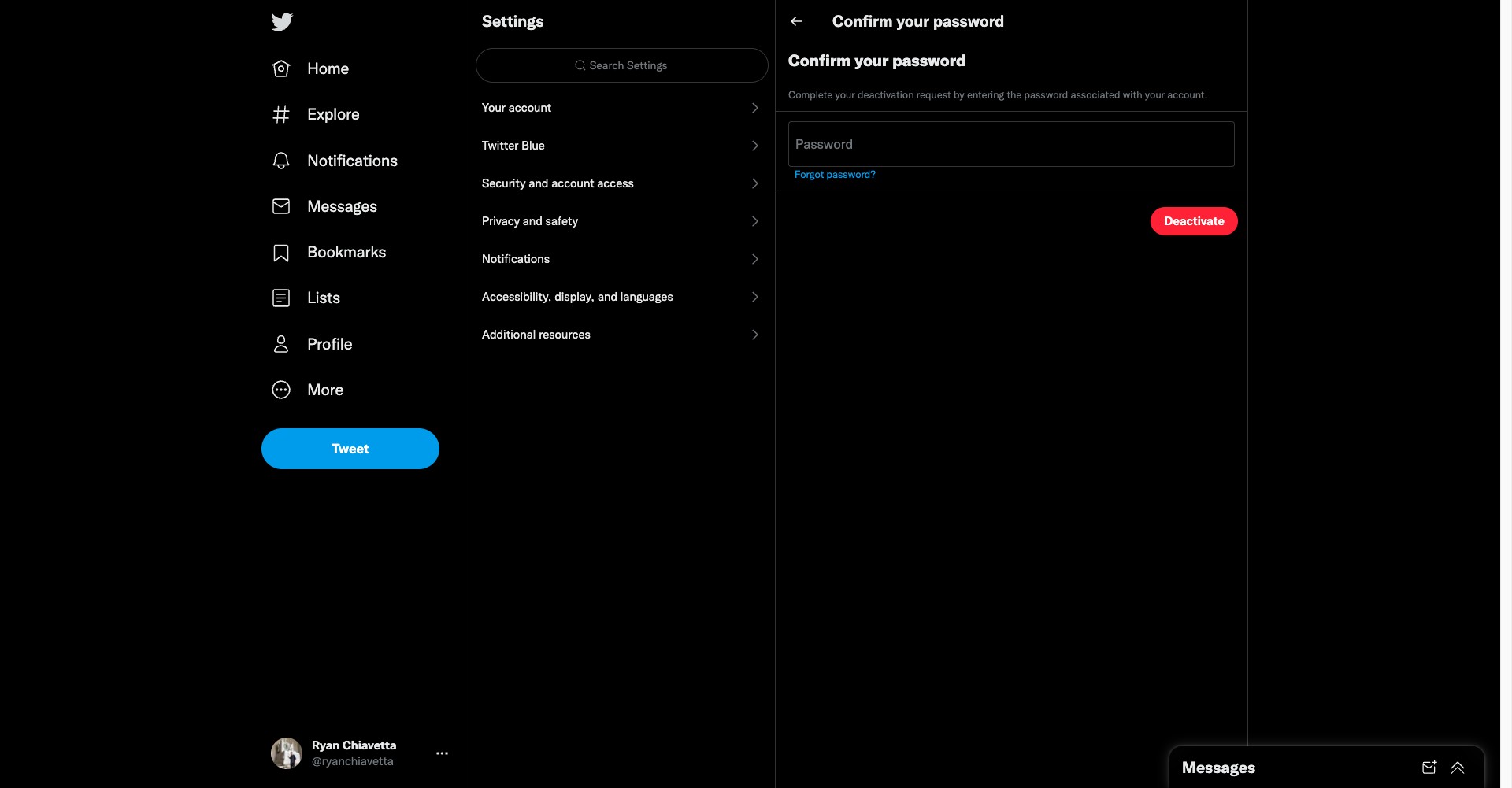
Deactivate Twitter on mobile
Step 7
To deactivate Twitter on mobile, click on your profile icon on the top left corner of the screen

Step 8
Click Settings and privacy

Step 9
Click on Your account
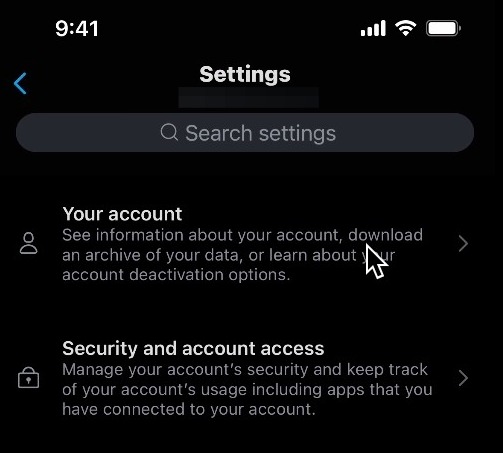
Step 10
Click on Deactivate your account
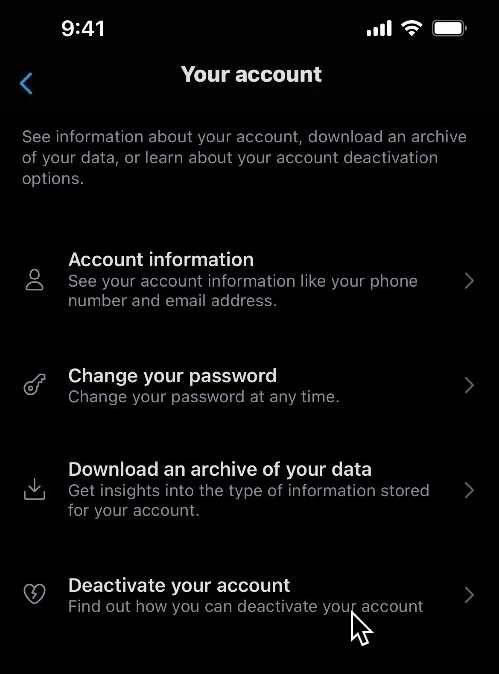
Step 11
Click on Deactivate

Step 12
Enter your password and click on Deactivate. NOTE: You have 30 days to reactivate your account before it's permanently deleted. To do so, log into your account as normal.