
Hardening TikTok: Privacy
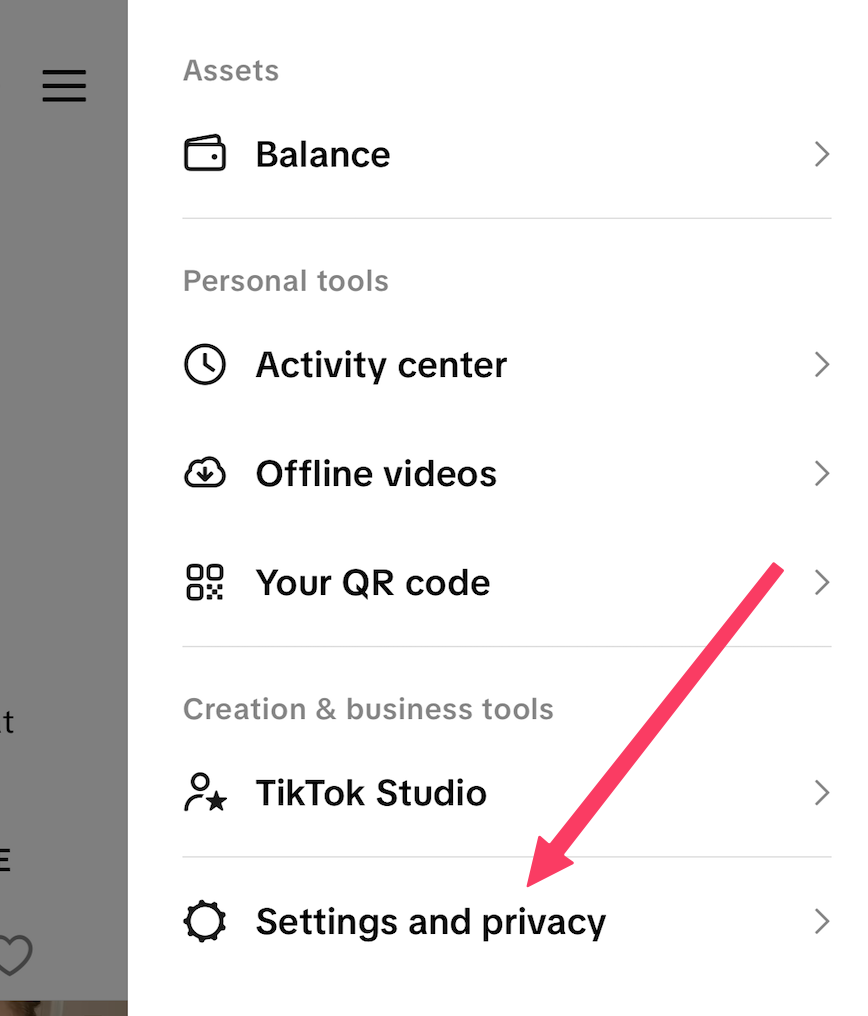
Navigate to the menu in the upper right-hand corner

Select "Settings and Privacy"
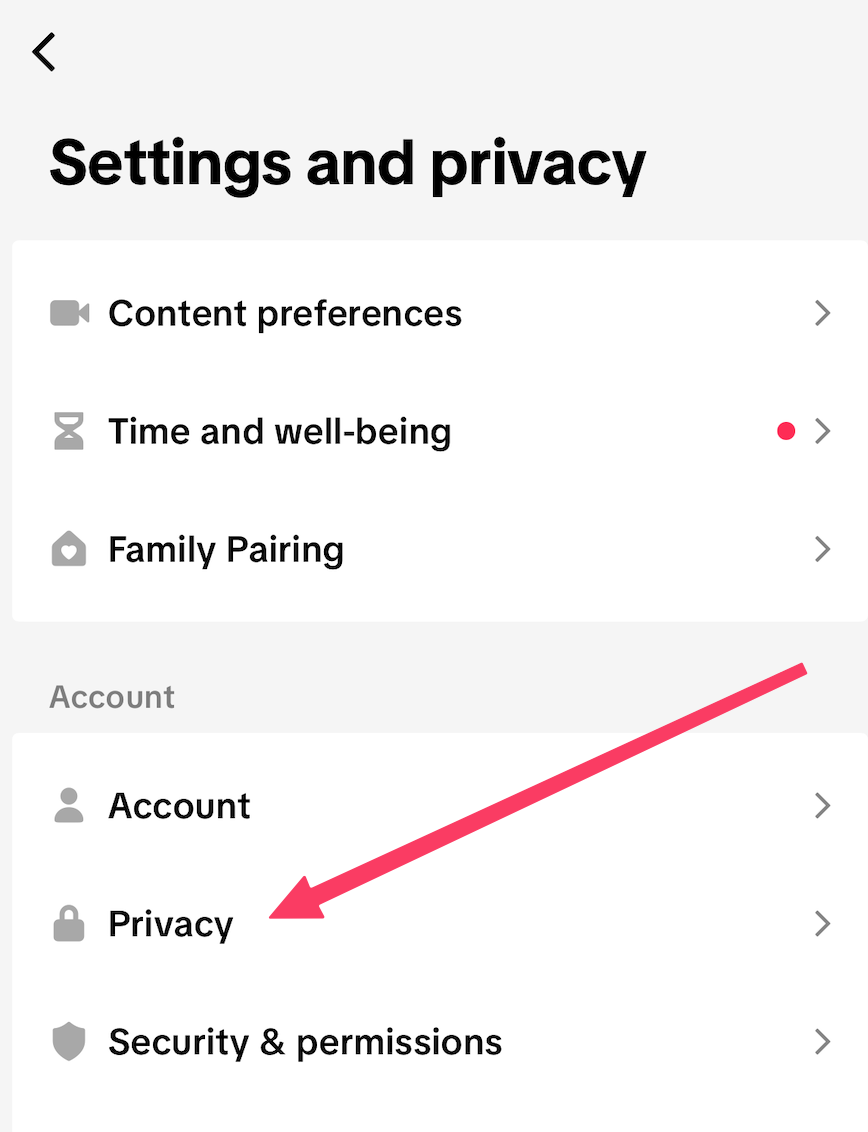
Select Privacy
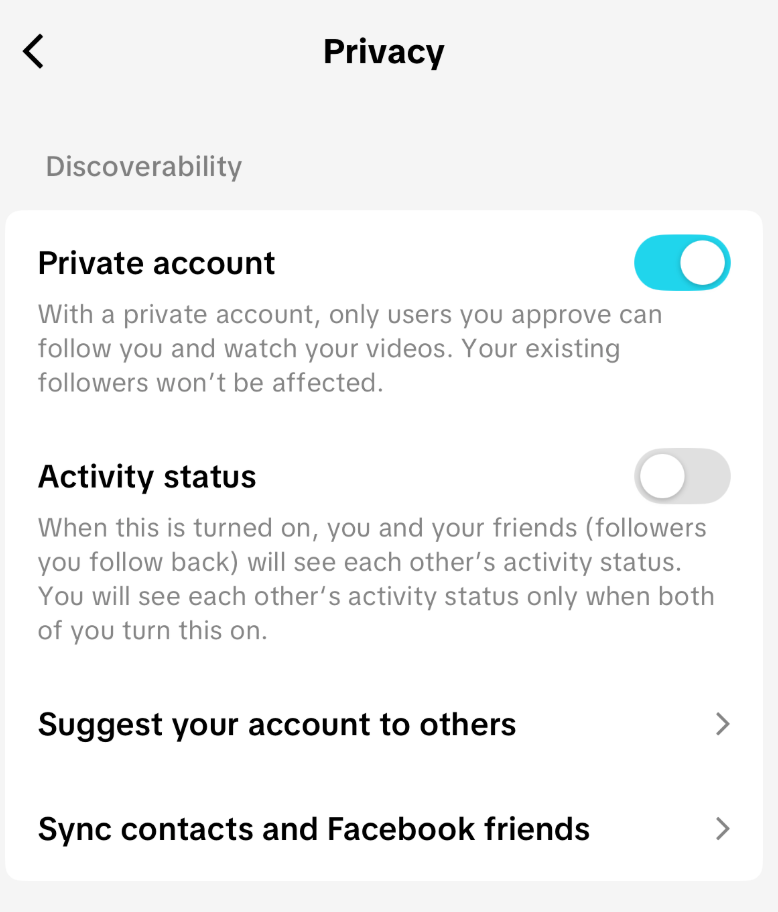
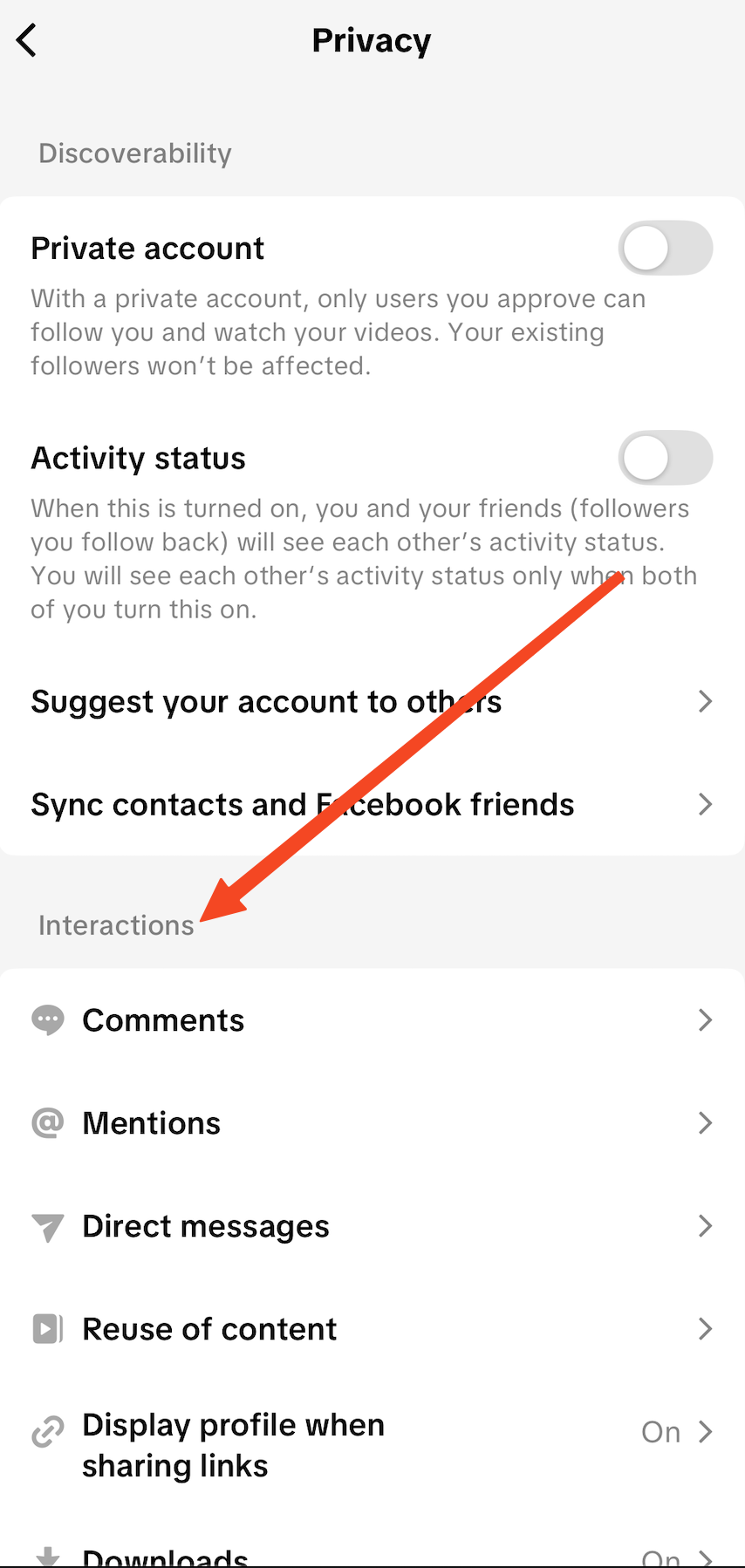
Ensure "Private Account" is set to ON (it will show Green), and Activity Status is set to OFF. These two items should appear as shown below:
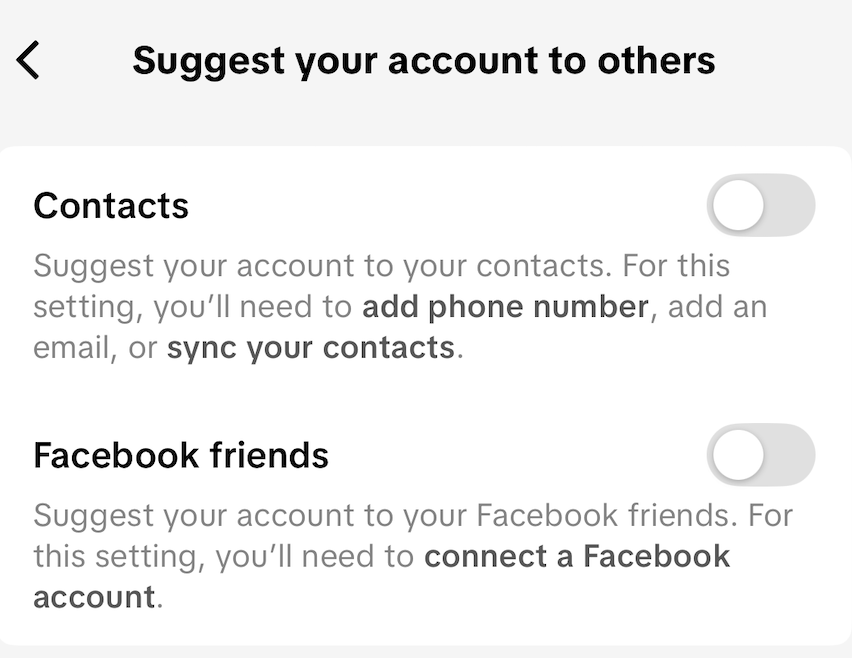
Continuing, select "Suggest your account to others". We recommend turning both options to OFF to ensure that you have maximum control over who connects to you within the platform:
Return to the Menu and select "Sync contacts and Facebook friends". We recommend turning these to OFF to ensure you have maximum control over who you connect with on the platform.

Return to the main "Privacy" menu. Scroll down to "Interactions":
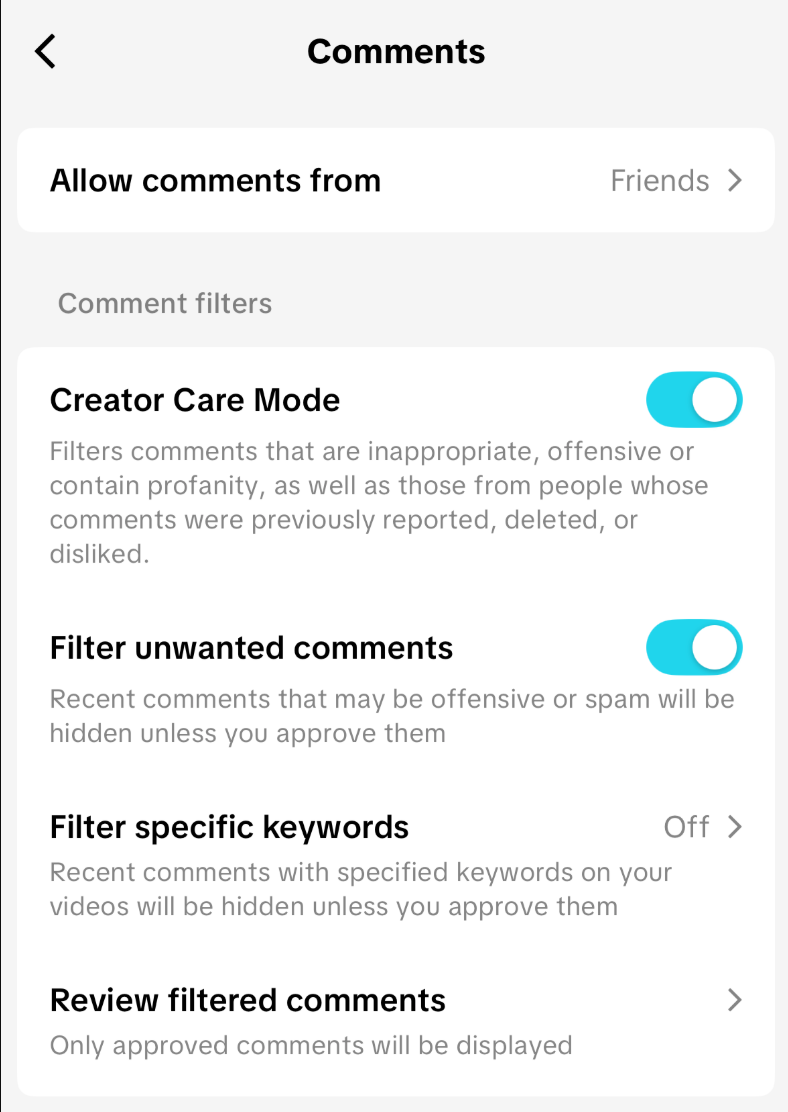
Select "Comments". Under "Comments", only allow comments from friends and enable "Filter Unwanted Comments". If you have "Creator Care Mode" available, we recommend turning on this setting as well:
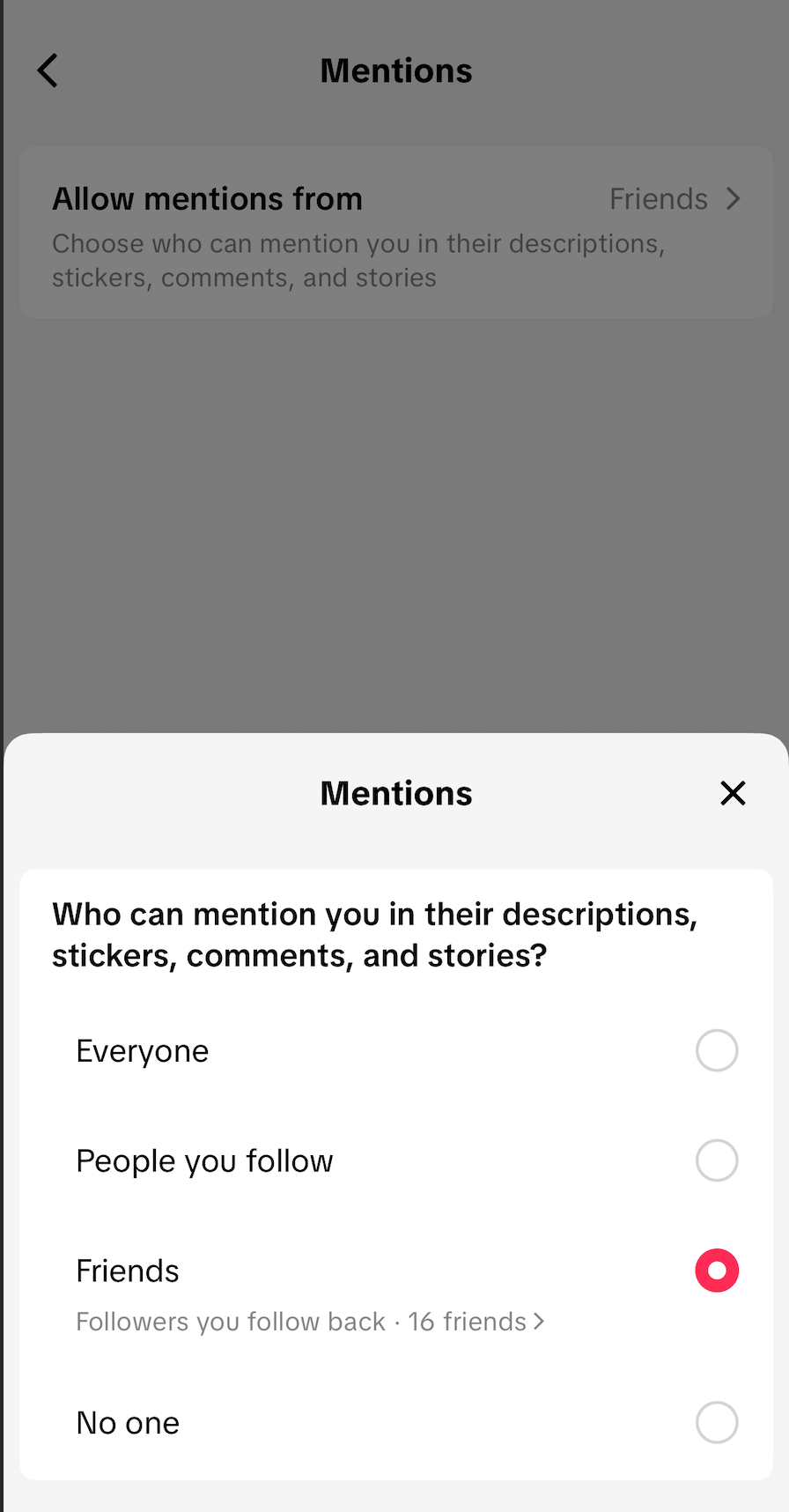
Return to the prior menu, and select "Mentions". Change this Setting from the Default of "Everyone" to "Friends":
Return to the prior menu and select "Direct Messages". Turn off "Read Status", so that other people cannot identify when you've seen their messages, and enable "Safe Mode":
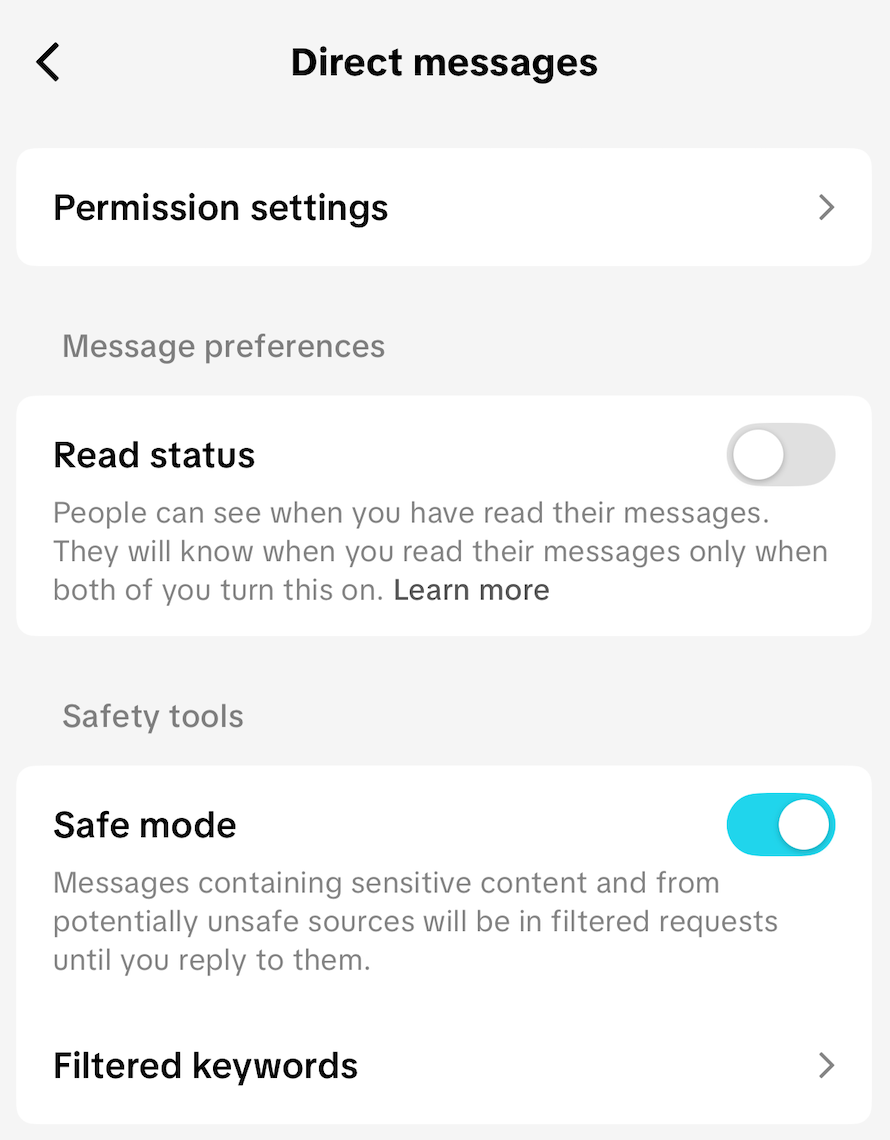
Select "Permission Settings" at the top of the screen, then select "Potential Connections":
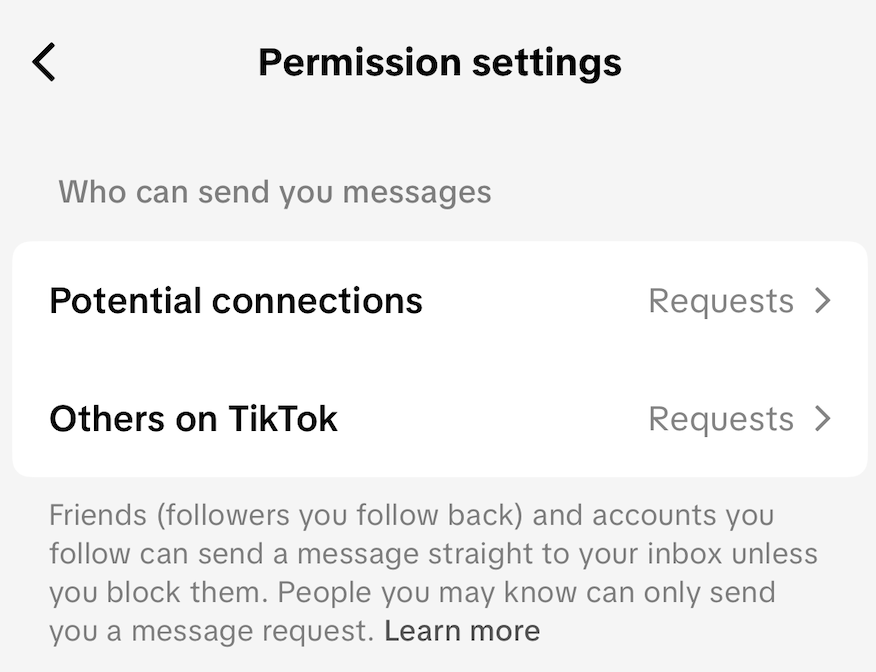
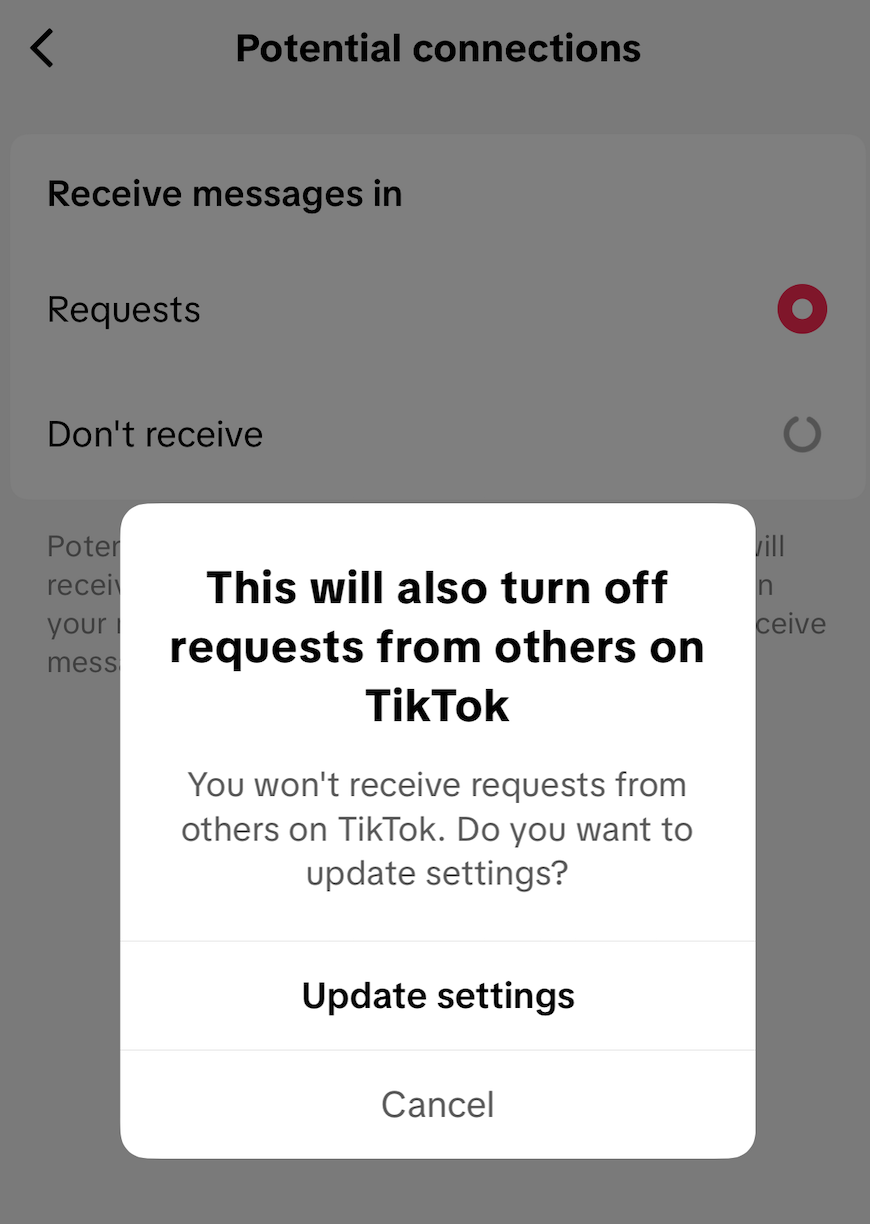
Select "Don't Receive". This will populate a second pop-up confirming you do not want to receive messages from other people on Tik-Tok who are not on your friends list. Select "Update settings":
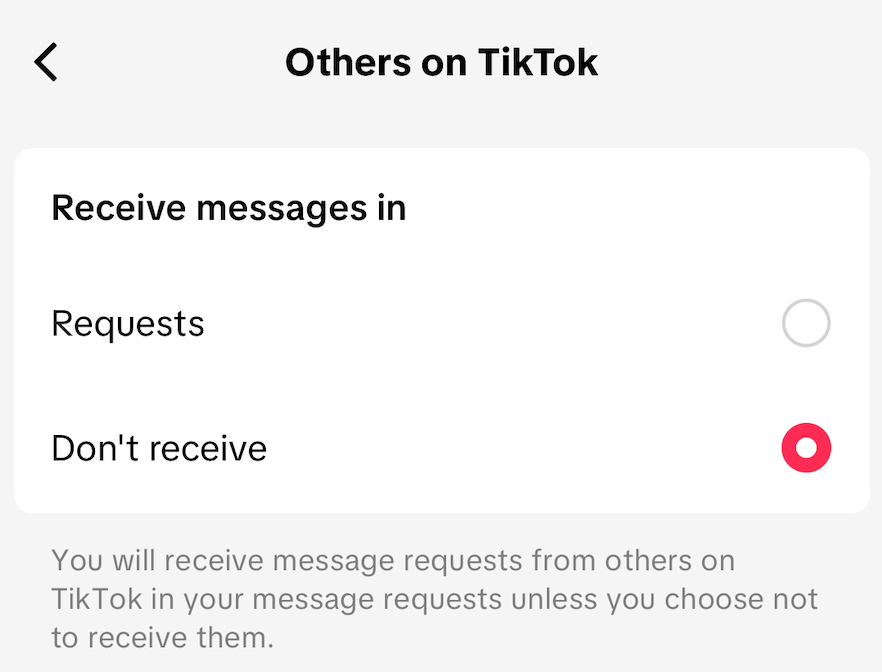
Follow the same workflow for the second option, "Others on TikTok":
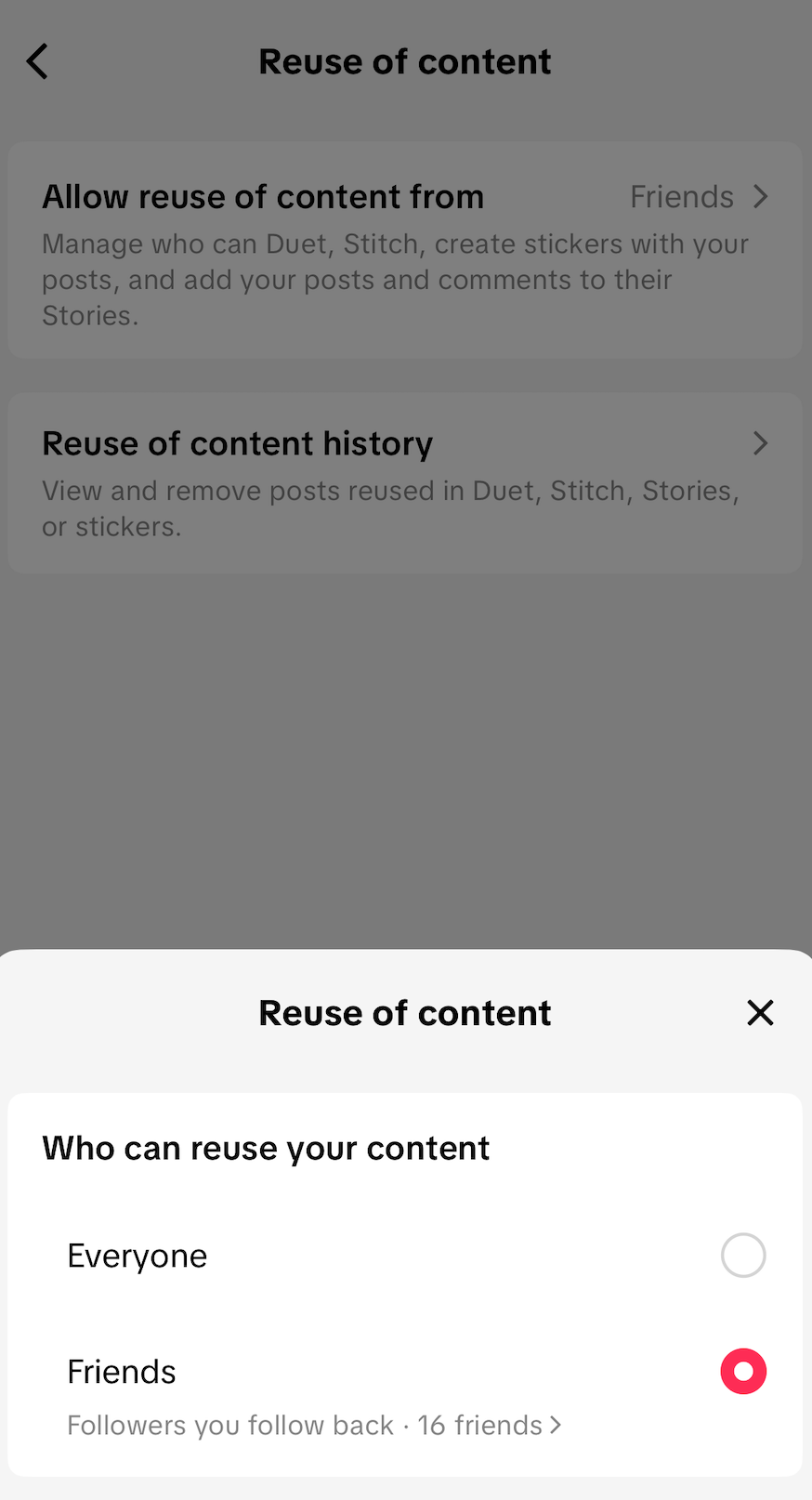
Navigate back to the main Privacy Menu and select "Reuse of Content". Change this setting to "Friends":
Return to the main Privacy menu. Select "Display profile when sharing links". Turn it OFF. This will change the BLUE slider into a GREY slider.
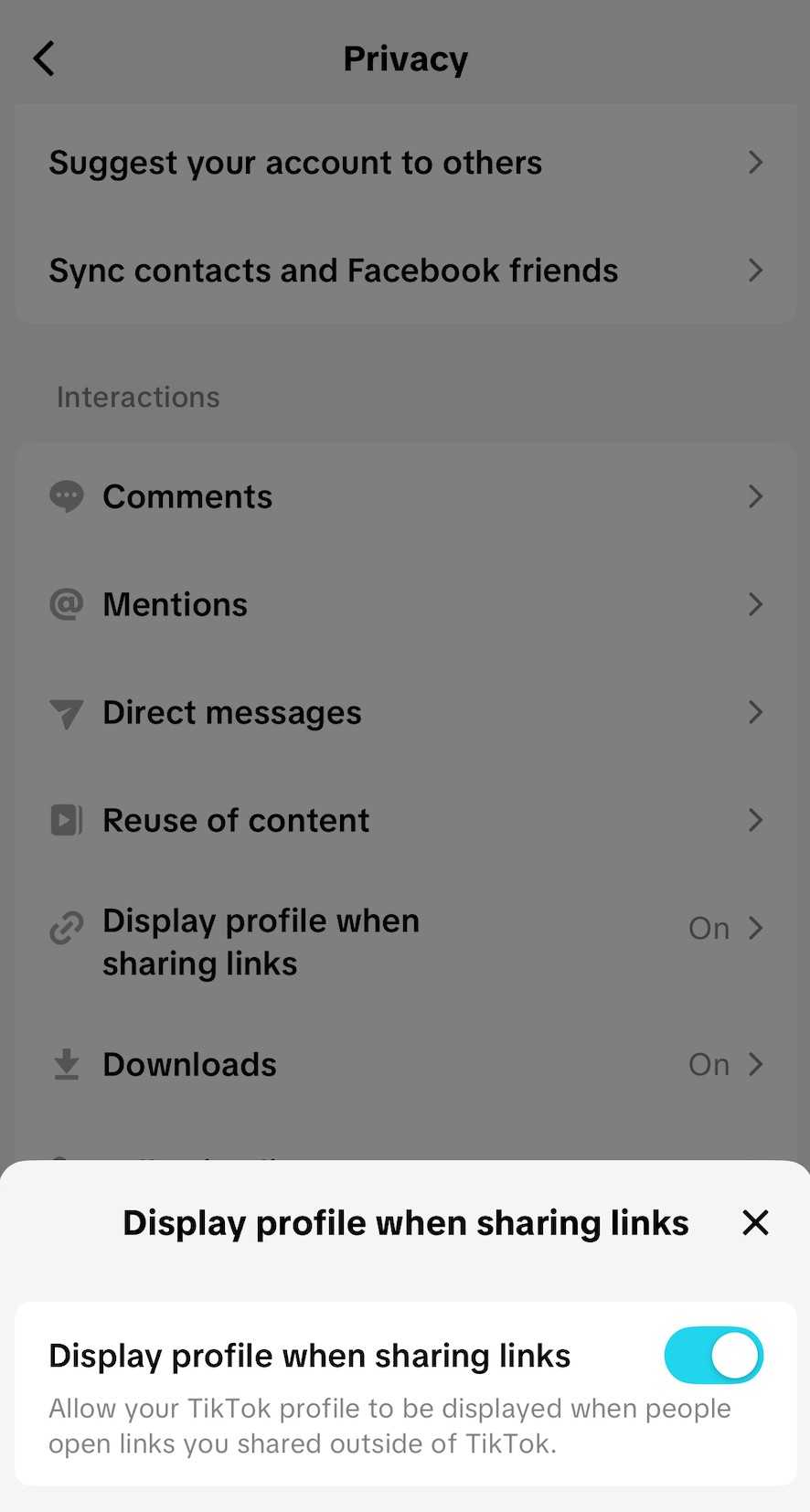
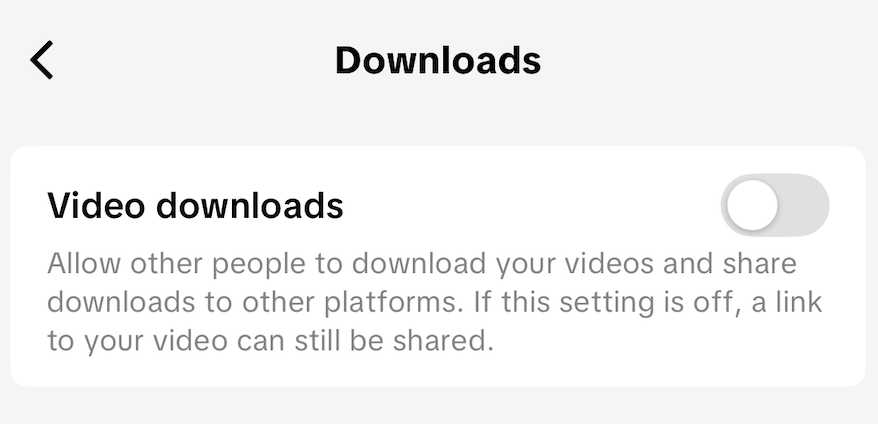
Return again to the main Privacy menu. Select "Downloads". Ensure it is set to OFF (signified by a GREY slider) to prevent other people from downloading your videos without your knowledge:
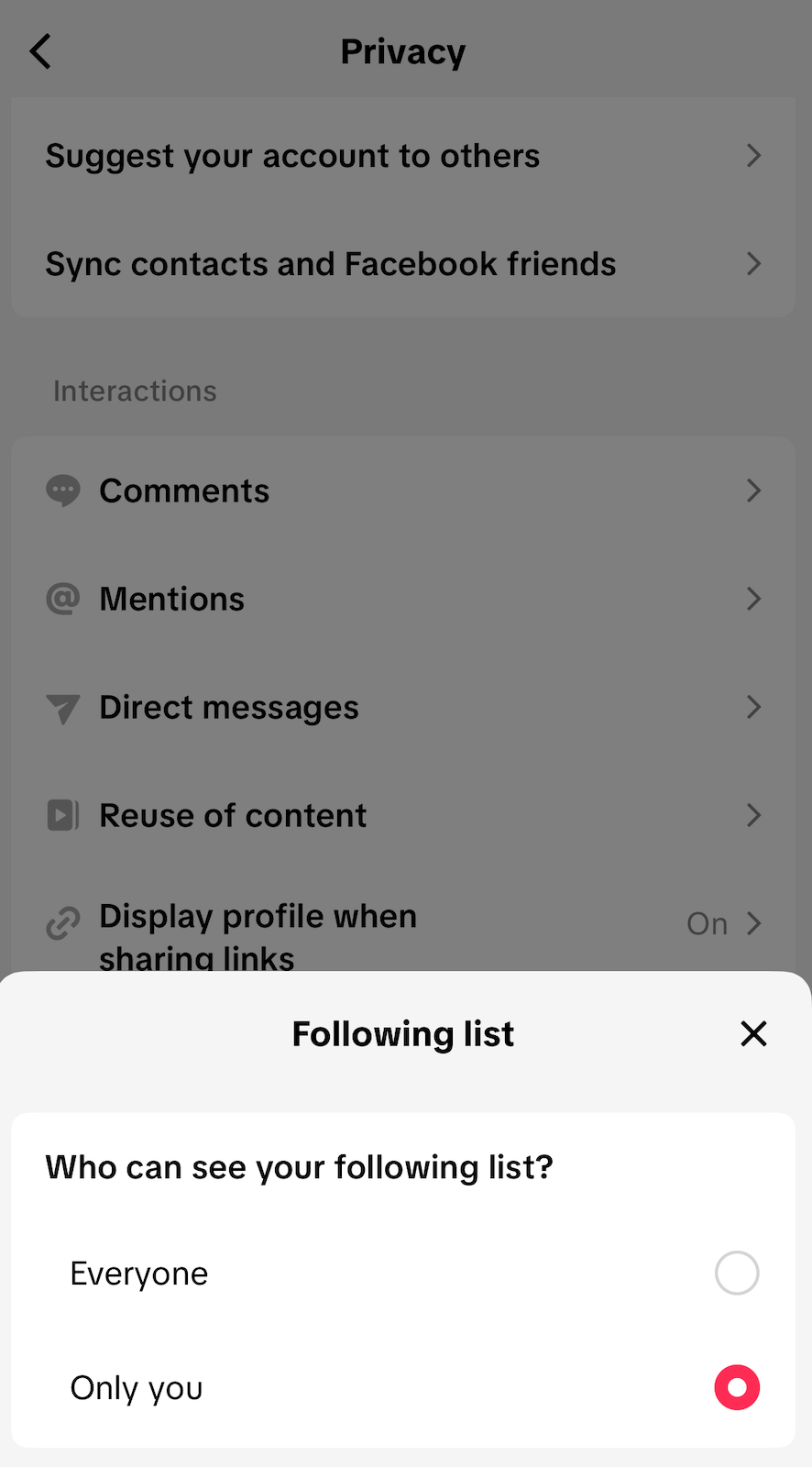
Return again to the main Privacy menu. Scroll down, and select "Following List". Select "Only you":
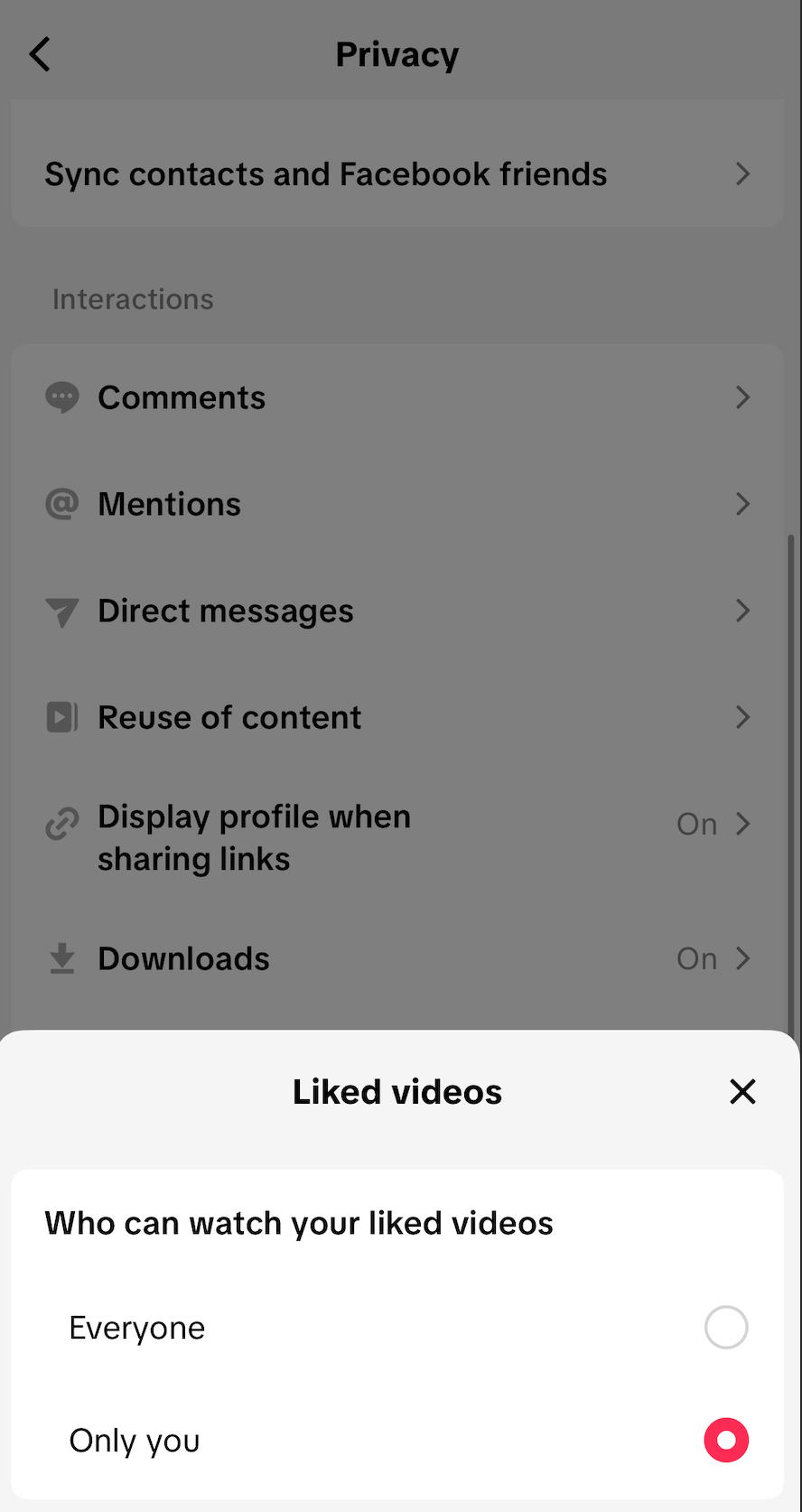
Select "Liked videos" from the same menu. Select "Only you":
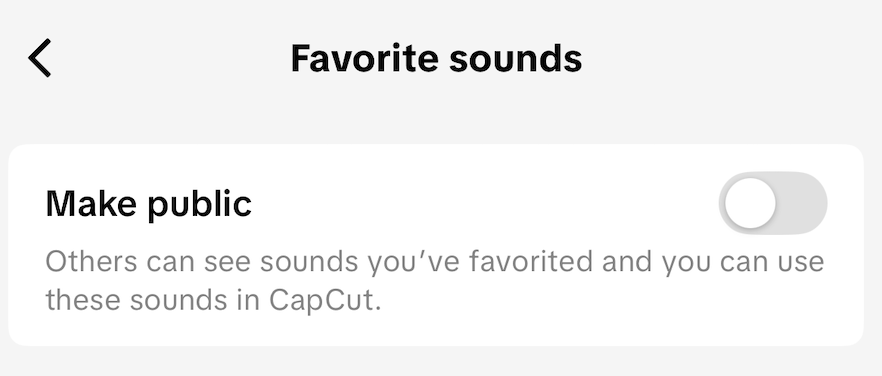
Finally, from the same menu, select "Favorite sounds". Ensure it is set to "OFF" (the slider will be GREY):
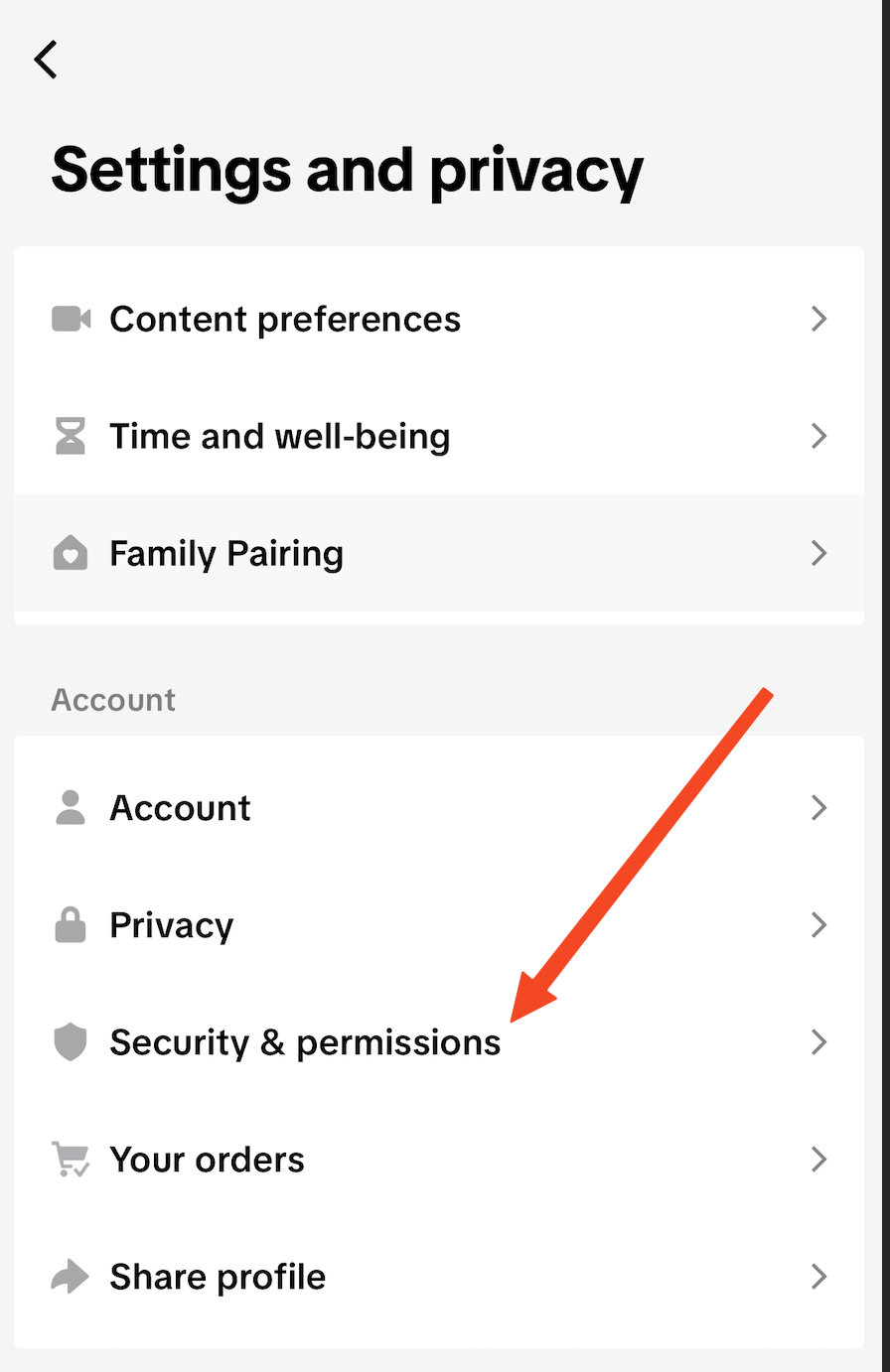
Return to the primary Settings & Privacy menu. Select "Security & Permissions".
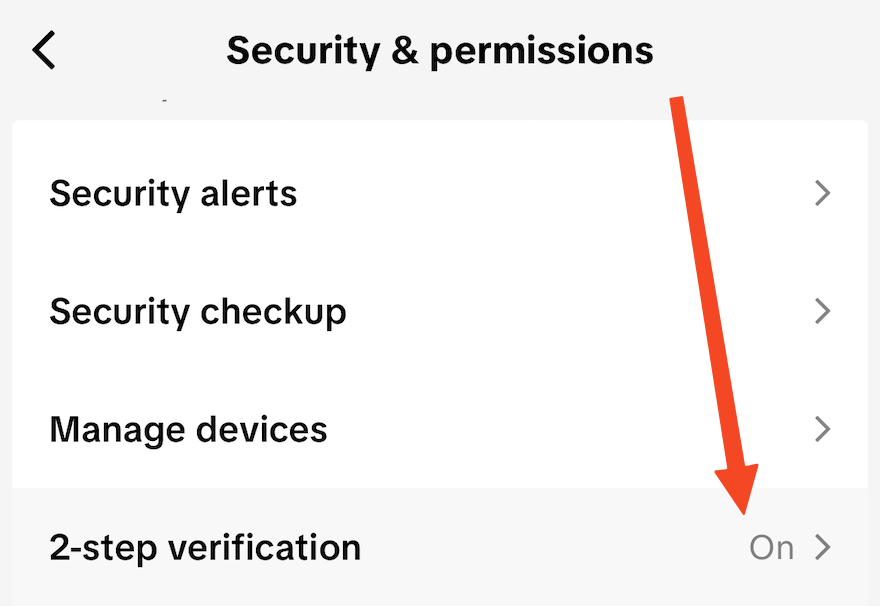
Select "2-step verification":
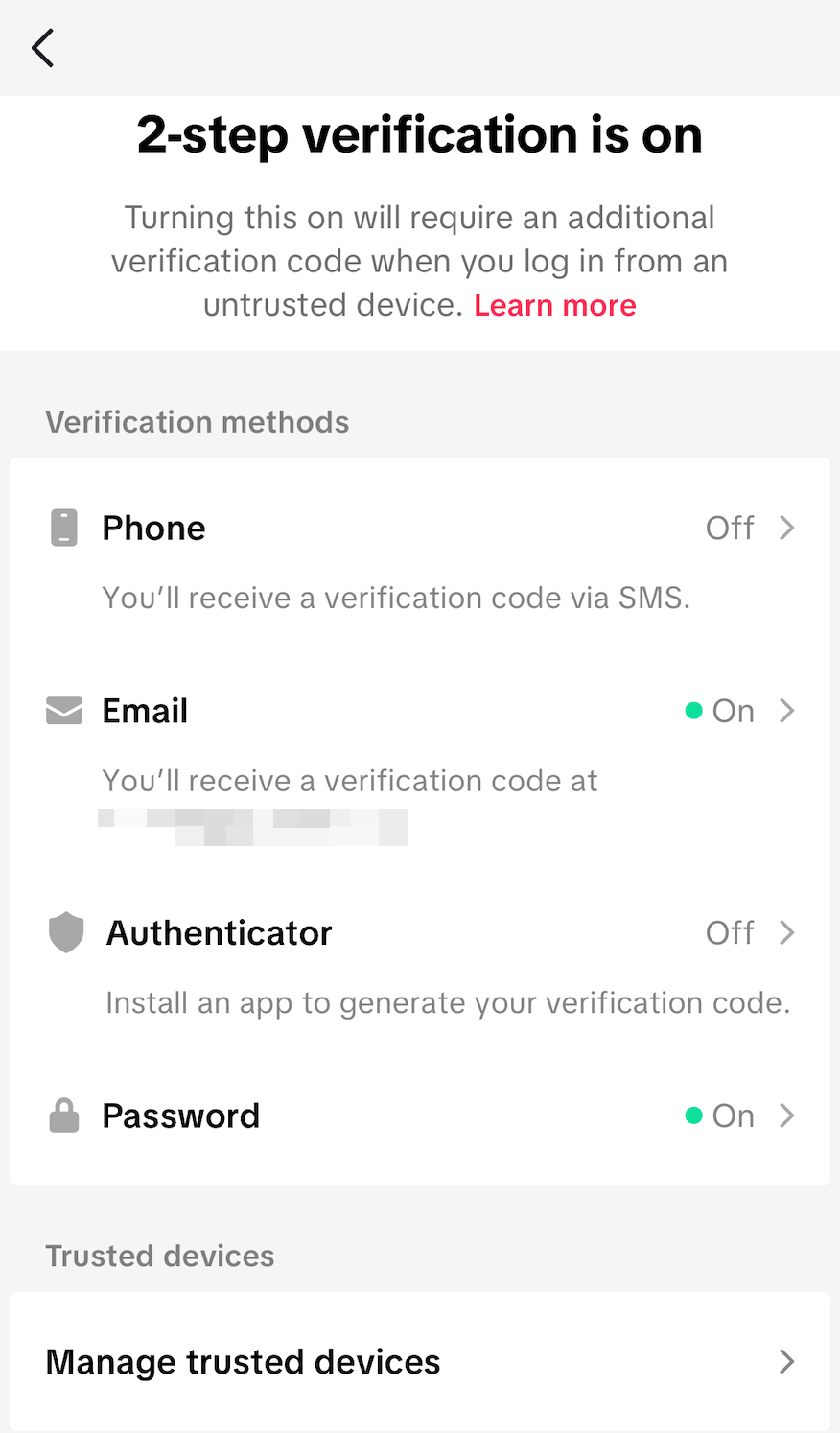
On this screen, enable 2-step verification. We recommend enabling 2-step verification via at least via email and Authenticator app.
If you'd like assistance enabling 2-step verification or any of the recommendations in this guide, please reach out to the BlackCloak team.